Supplier Management
Efficiently managing suppliers is key to maintaining smooth purchase operations. Batuly provides tools to add, categorize, track, and settle payments with suppliers - all from a single, intuitive interface.
Navigating to Suppliers
To begin, click on the Suppliers menu from the sidebar.
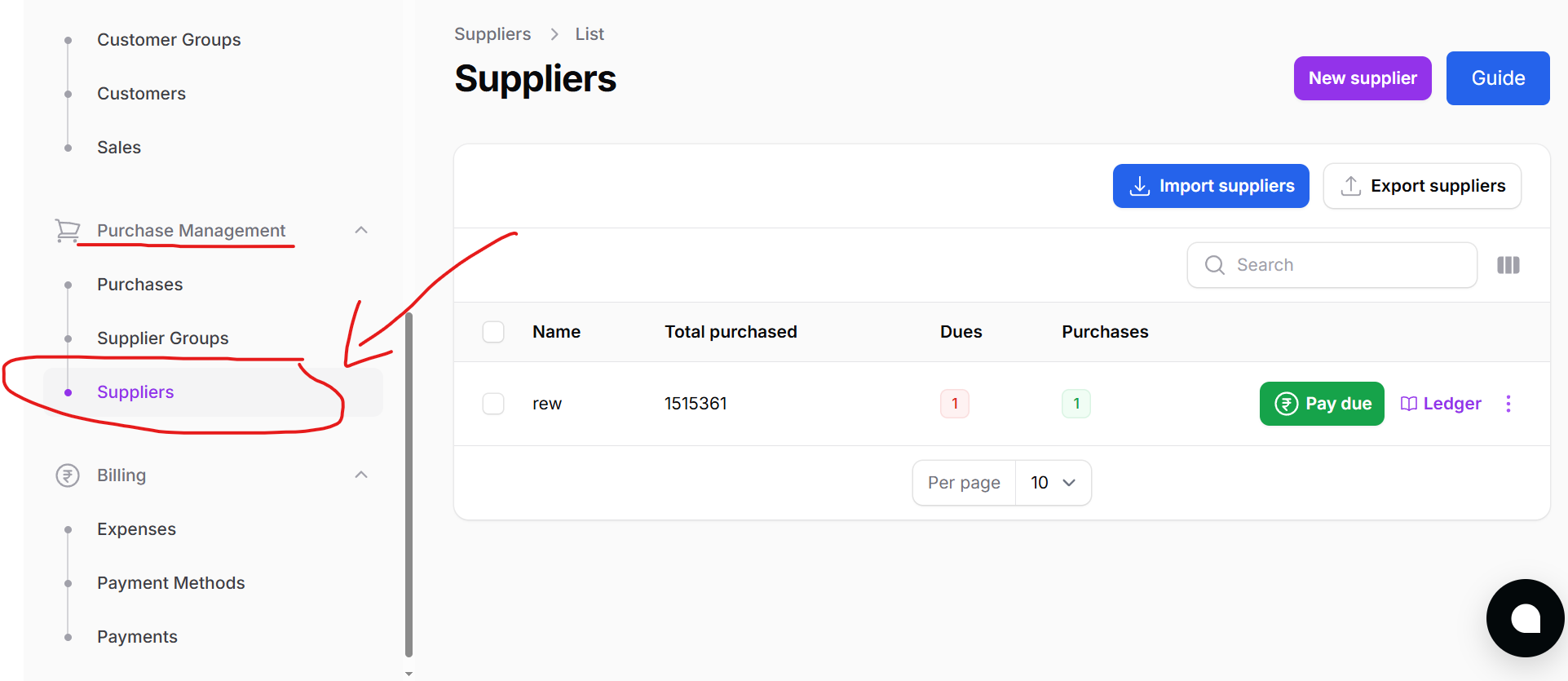
This will open the Supplier List page, where all previously added suppliers are displayed.
Supplier List Overview
The Supplier List page offers a complete view of all suppliers in the system.
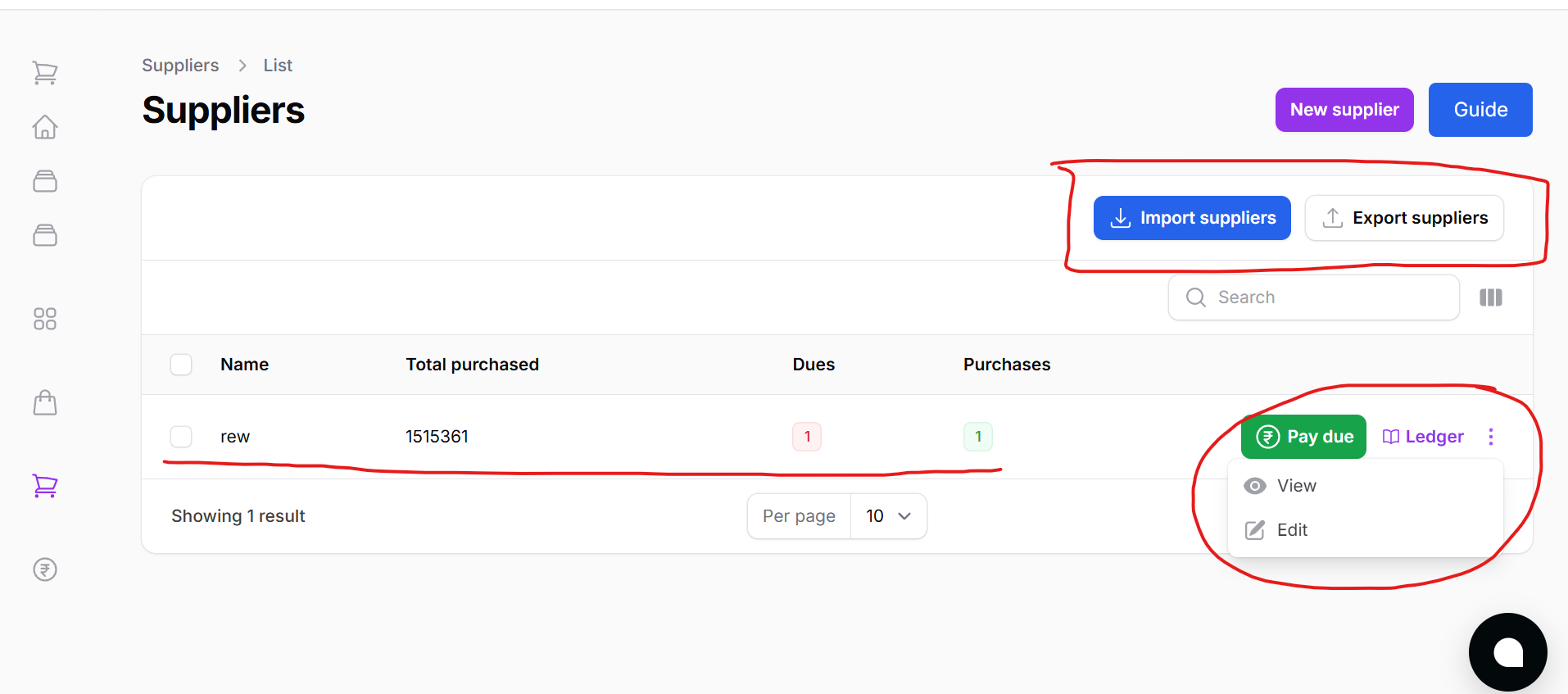
Features:
- Edit or Delete suppliers
- Pay Due: Instantly clear dues for a supplier
- Ledger: View real-time ledger history for each supplier
Adding a New Supplier
To add a supplier individually, click on the New Supplier button.
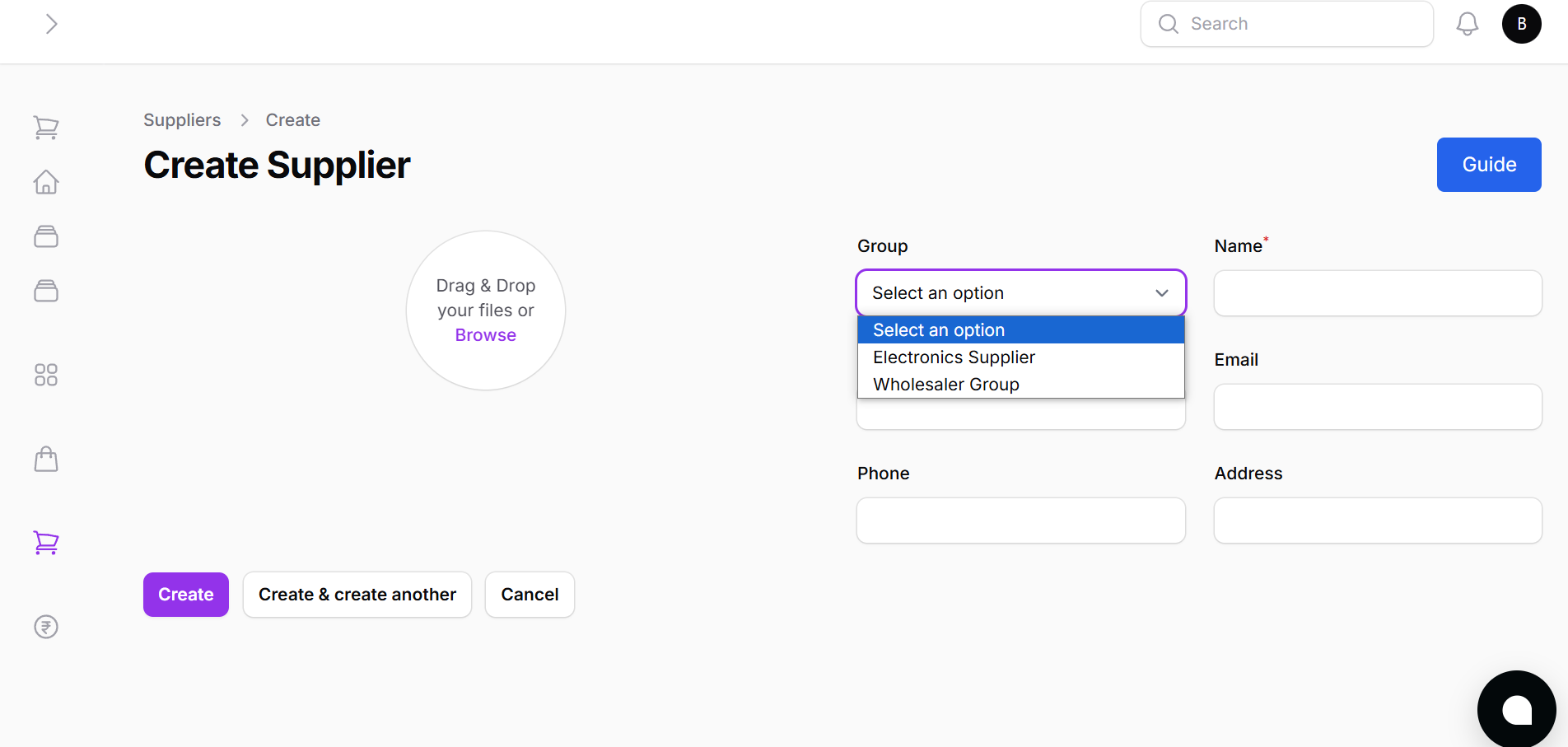
How to create a supplier:
- Choose Suppier Group
- Supplier Name
- VAT Number (Optional)
- Phone (Optional)
- Address
- Upload Image (Optional)
Once the form is filled:
- Click Create to save
- Or use Create and Add Another for quick batch entries
Bulk Import Suppliers
For convenience, you can import all your suppliers at once.
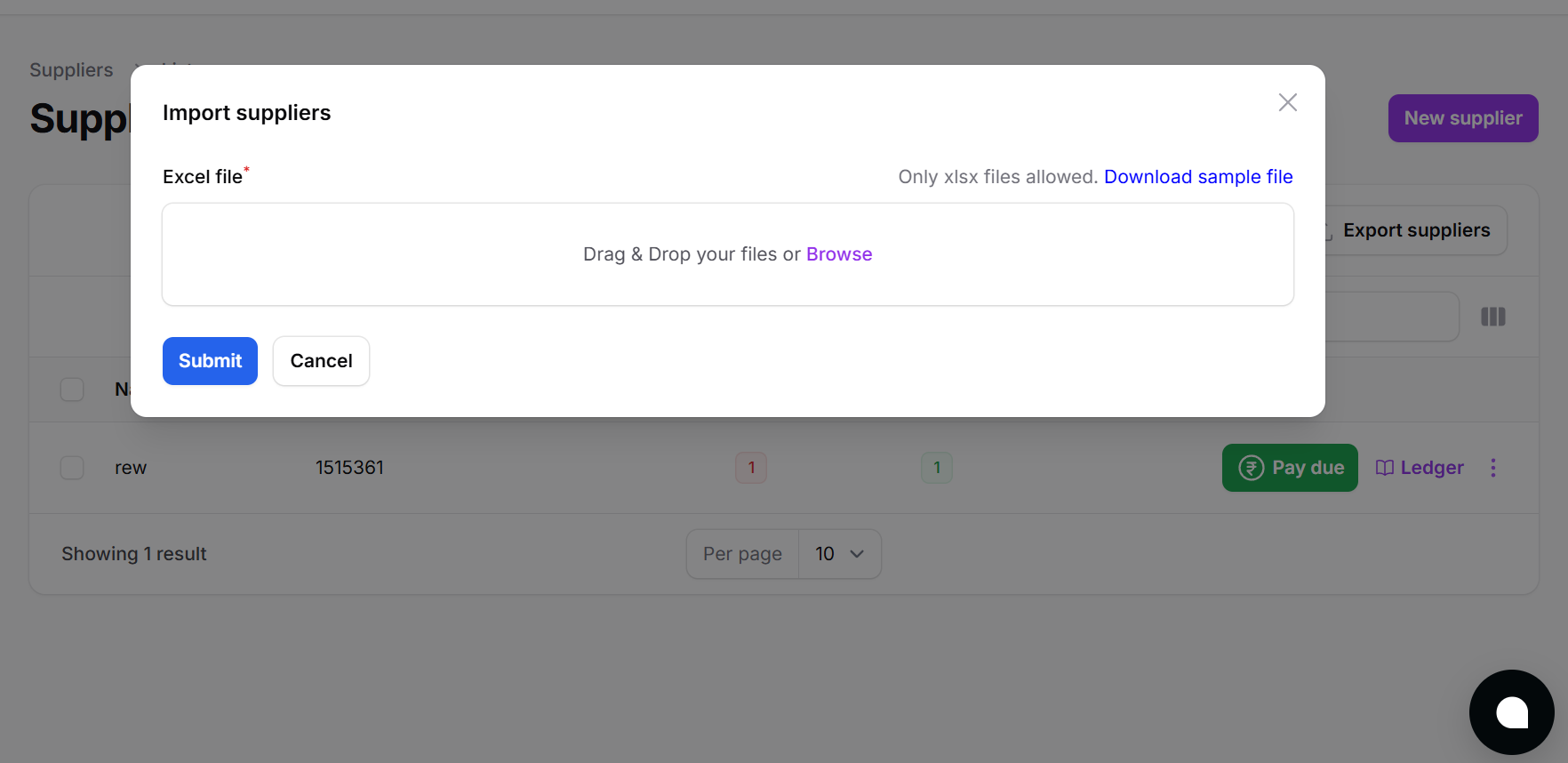
How to Use:
- Click Bulk Import
- Download the sample Excel format
- Fill out supplier details
- Upload the completed sheet
Paying Supplier Dues
Each supplier listed has a Pay Due button beside their entry.
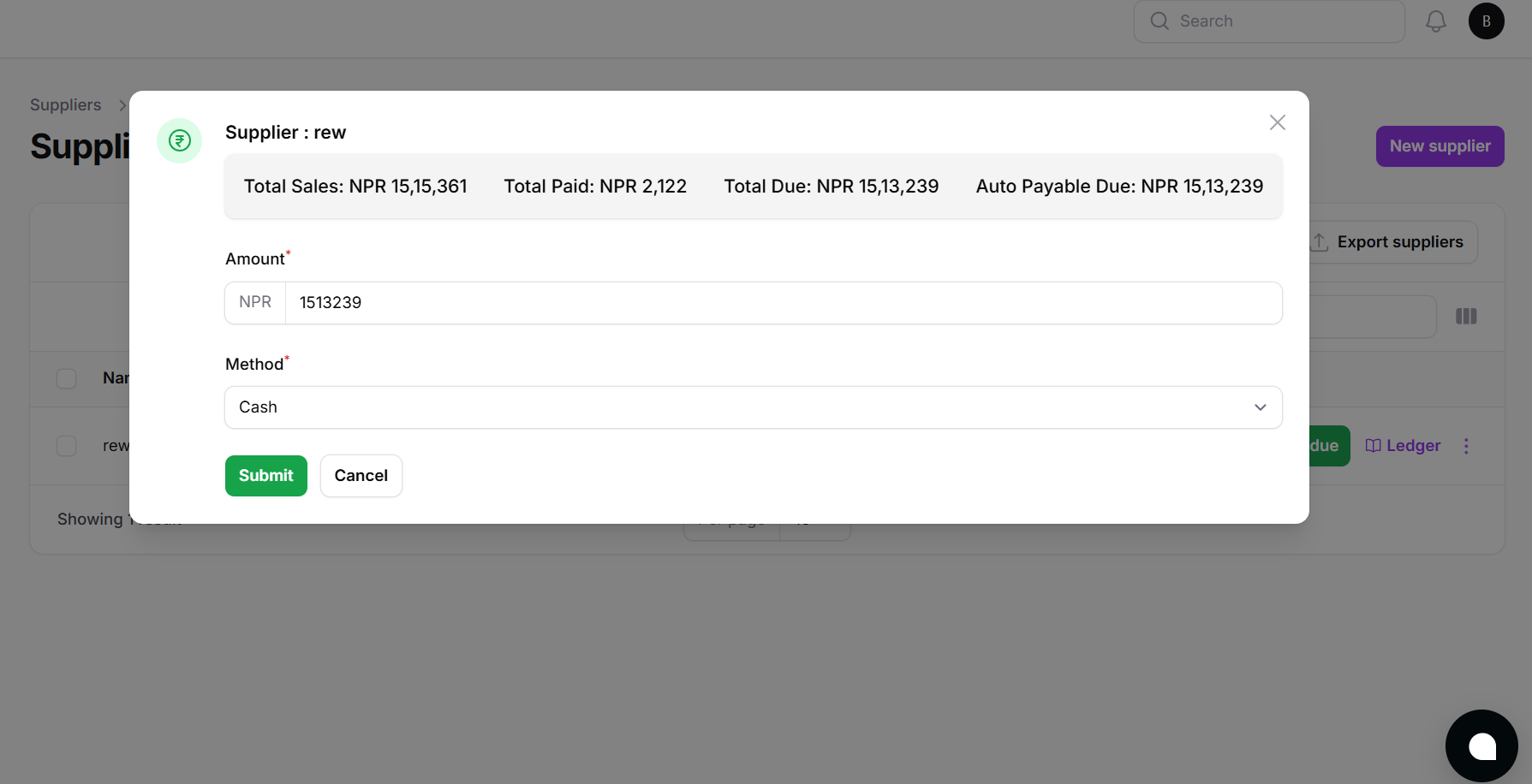
Clicking it allows you to:
- Enter payment amount
- Choose payment method
- Settle dues instantly
Viewing Supplier Ledger
To the right of each supplier row, there's a Ledger button.
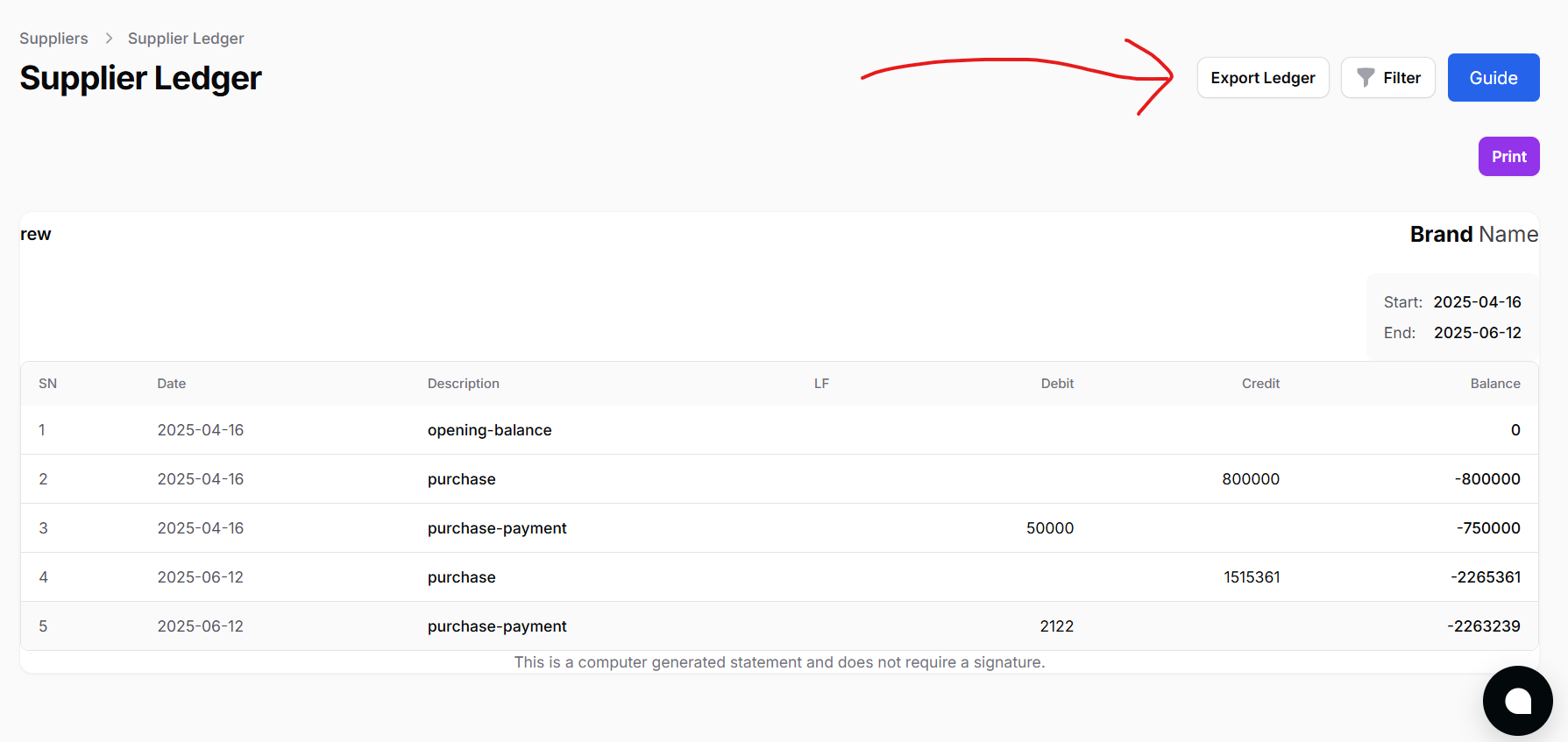
This provides a complete financial history:
- All purchases
- Payments made
- Purchase returns
- Outstanding balances
Viewing Individual Supplier Details
Clicking on any supplier opens a Supplier Detail Page.
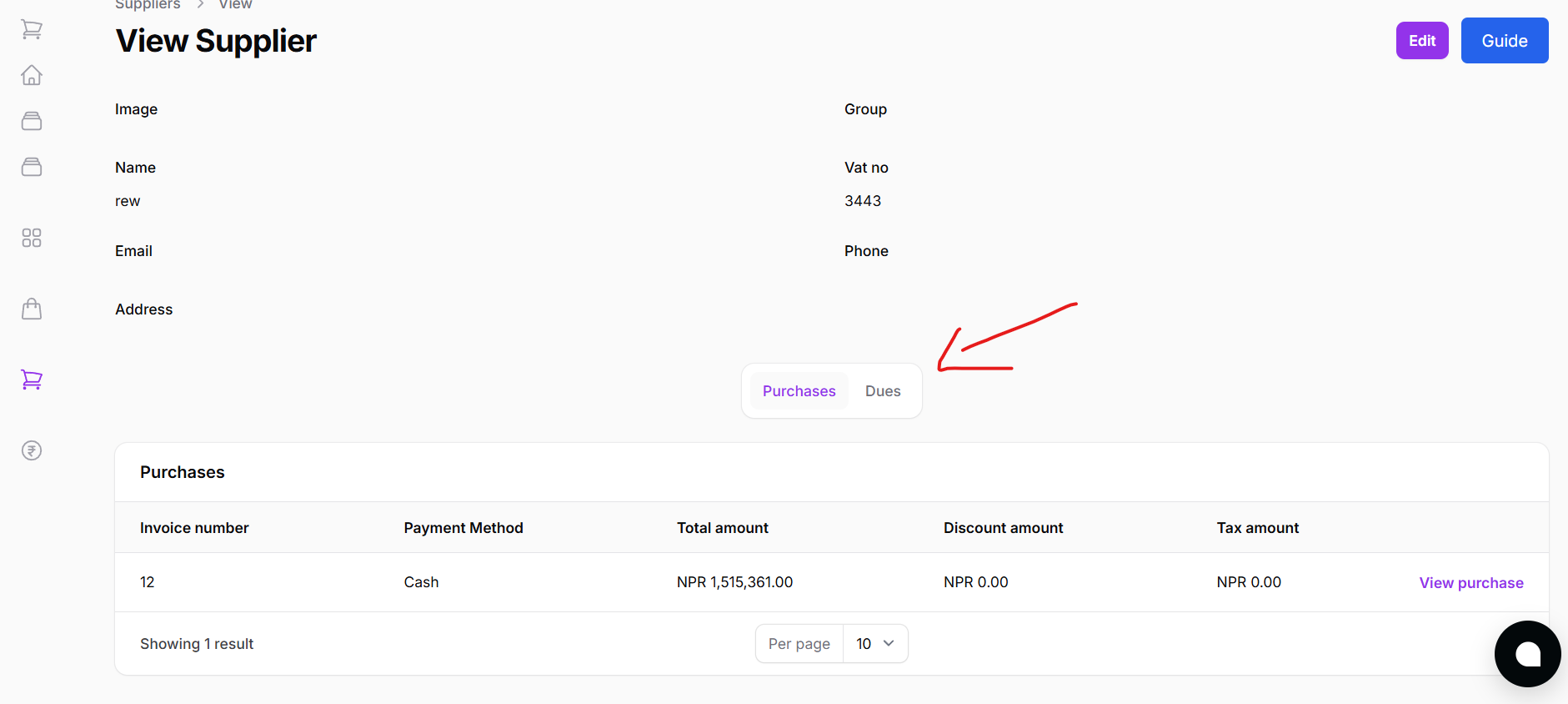
This page includes:
- List of all purchase bills from that supplier
- Outstanding due amounts per invoice
- Ability to pay individual purchase bills
- Full summary of:
- Total purchases
- Total payments
- Returns
- Current balance
Supplier management in Batuly is designed to help you maintain trust and clarity with your vendors while ensuring every transaction is tracked and easily reconciled.