Product Creation & Bulk Upload
With units and categories set, you can now start adding products - either one-by-one or by uploading them all at once.
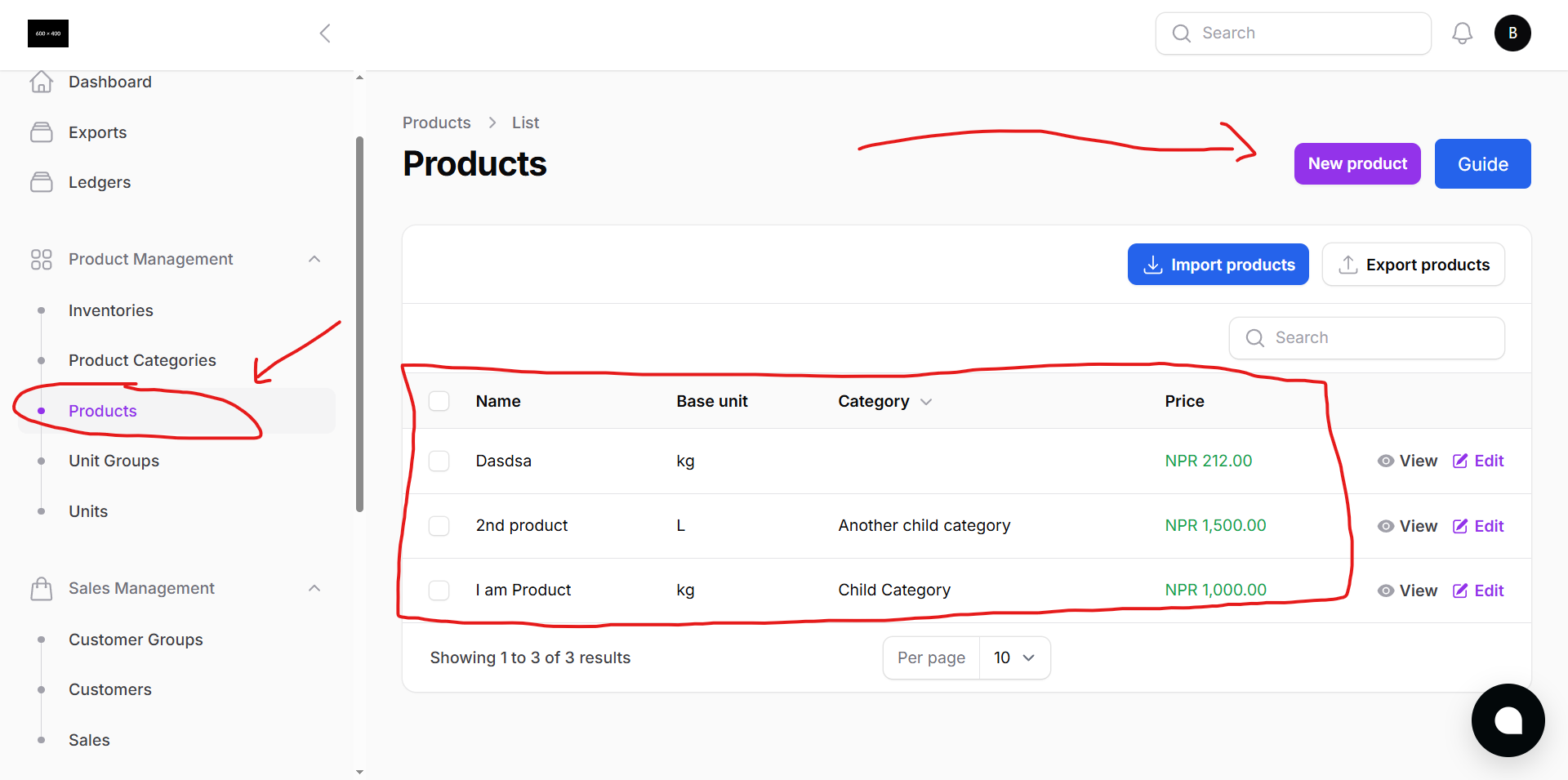
Add Product Individually
Use this method when you want to add a few products manually.
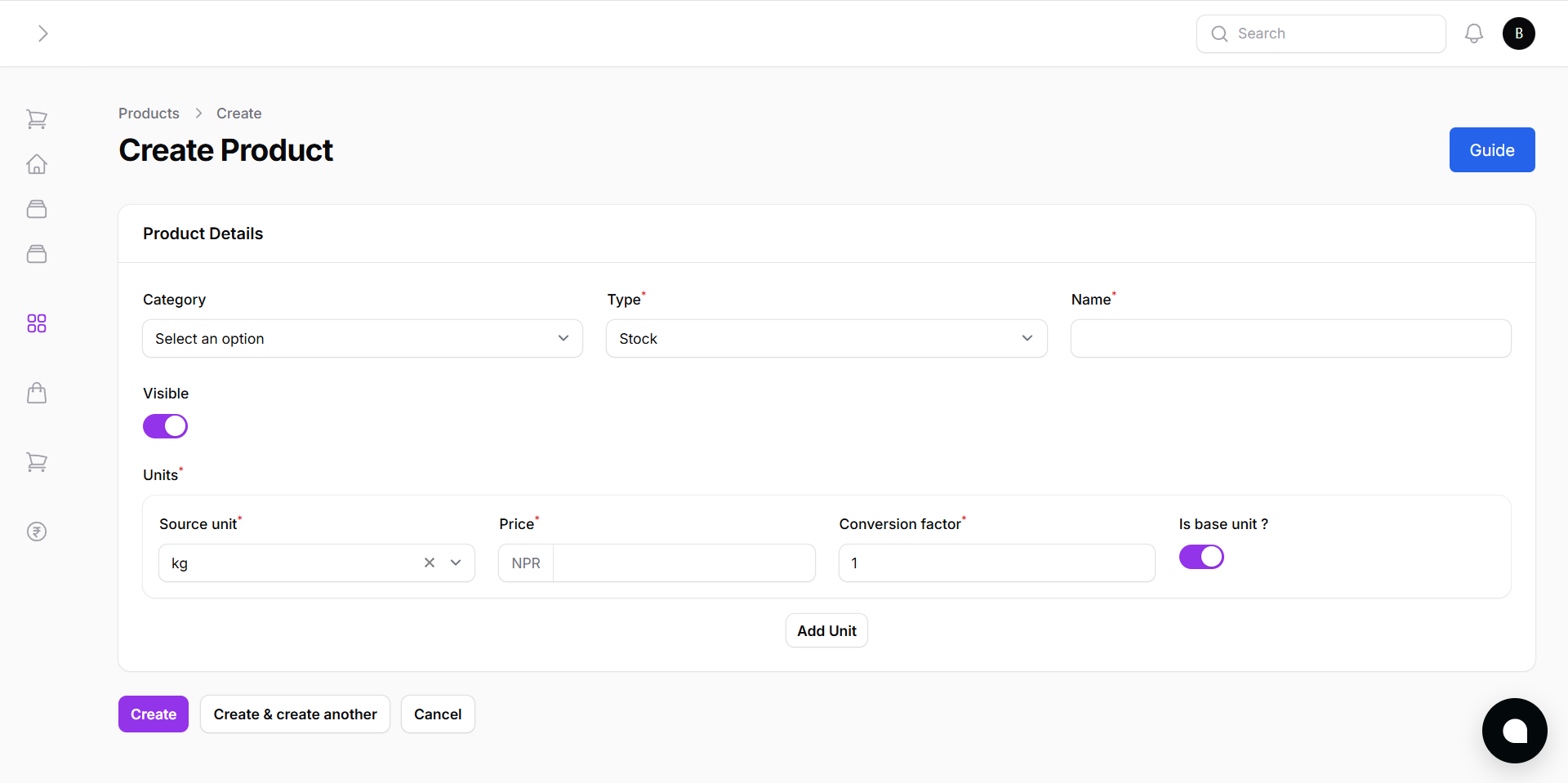
- Click New Product
- Fill in the product details:
- Category
- Stock Type (e.g., Service/Product)
- Product Name
- Unit
- Price
- Description
- Click Create to save your product.
Bulk Upload Products
Save time by uploading a full list of products using our Excel format.
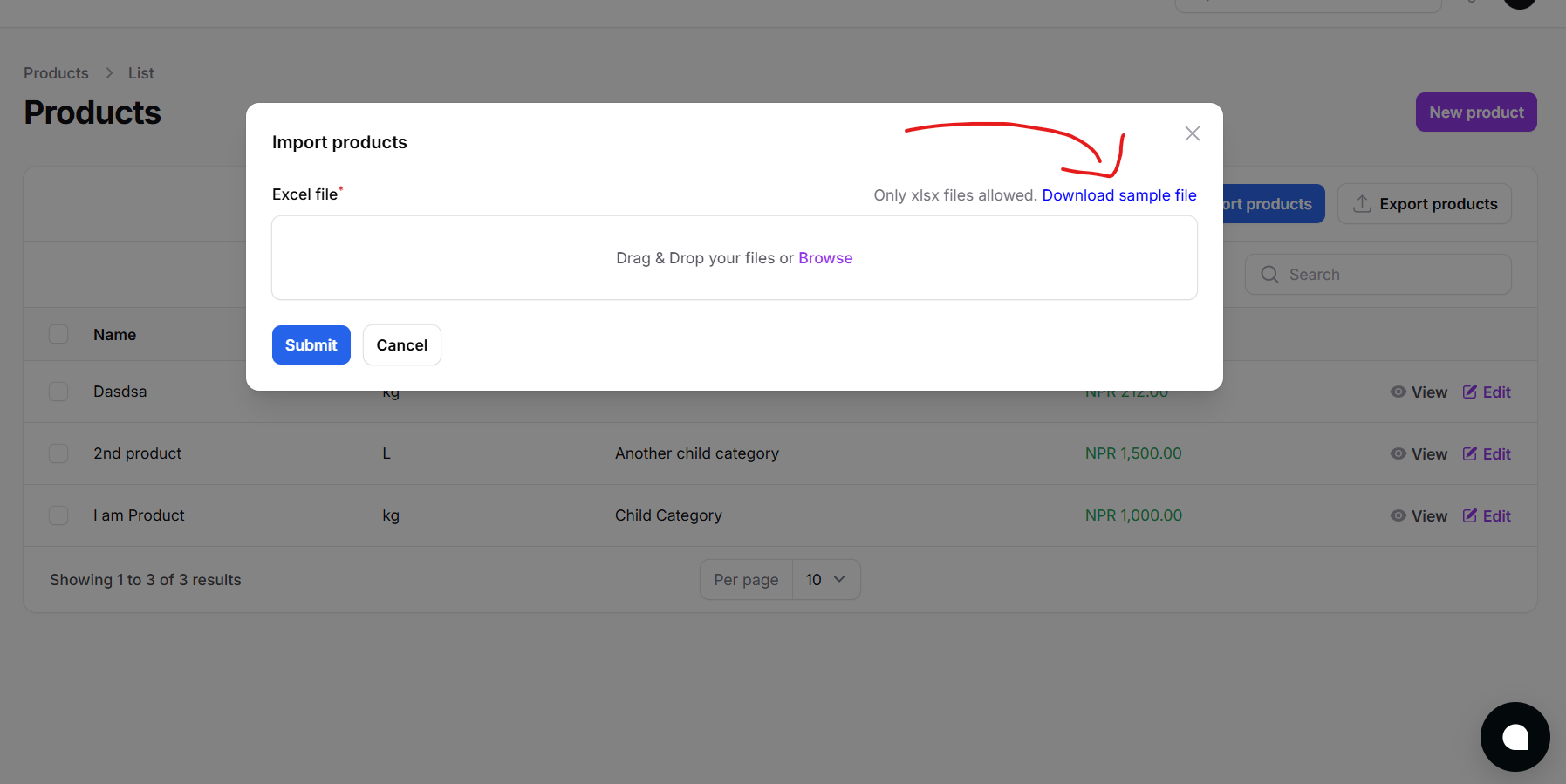
- Click Import Products
- Download the sample Excel file
- Fill it with your product list, including:
- Product Name
- Category
- Unit
- Stock
- Price
- Upload the file to add all products at once
Products created this way can be tracked, sold, and reported instantly within Batuly.