Customer Group Management
Batuly allows you to organize your customers into groups for better segmentation, targeted communication, and analysis. Whether you're categorizing by region, purchase behavior, or customer type, grouping makes it easy to manage relationships.
Navigating to Customer Groups
From the sidebar, click on Customer Groups to get started.
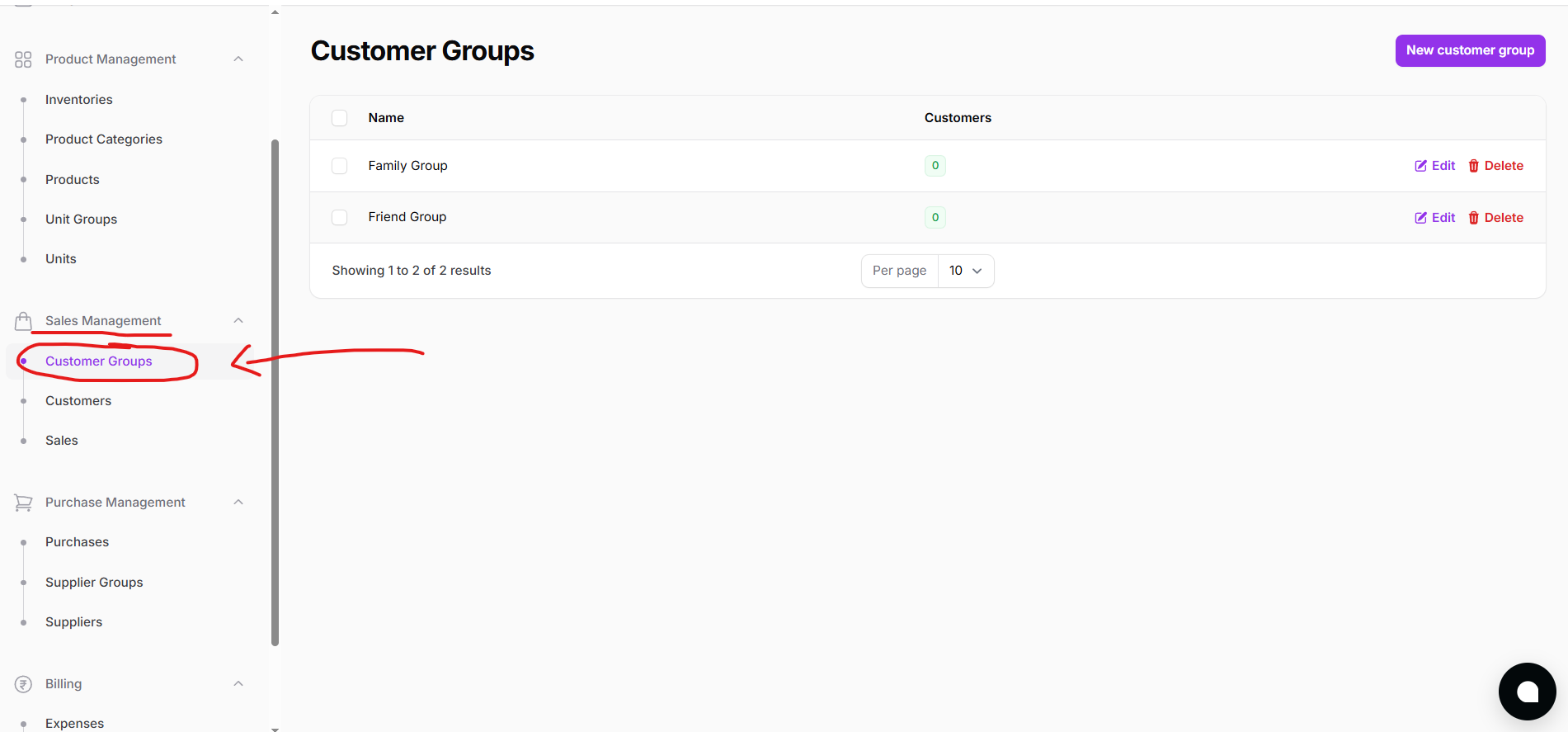
This opens a list of all existing customer groups.
Customer Group List
View all your previously created groups in a simple table layout.
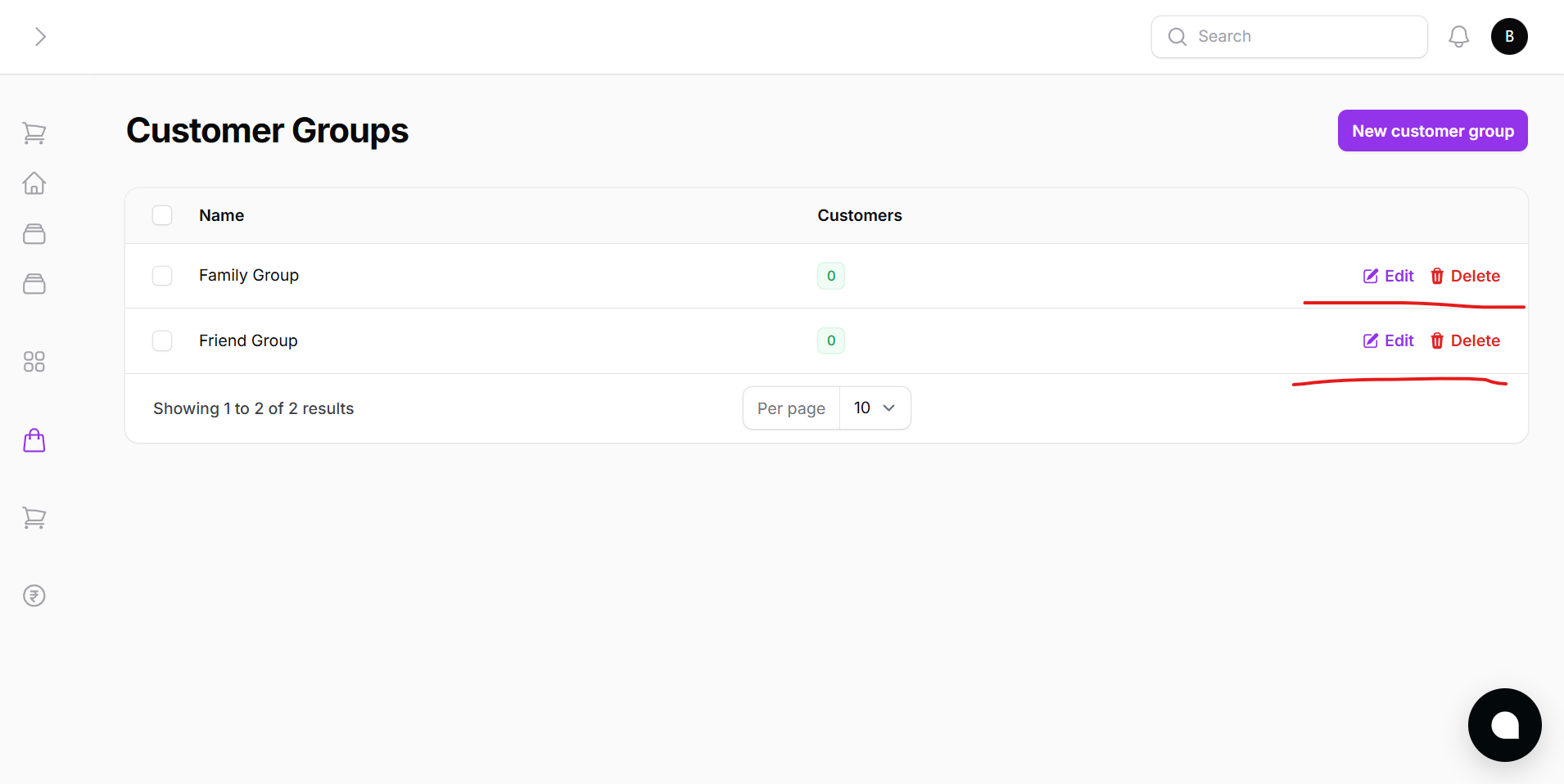
Each row shows:
- Group Name
- Number of customers in that group (optional)
- Actions: Edit or Delete
Adding a New Customer Group
Click the New Customer Group button to add a new group.
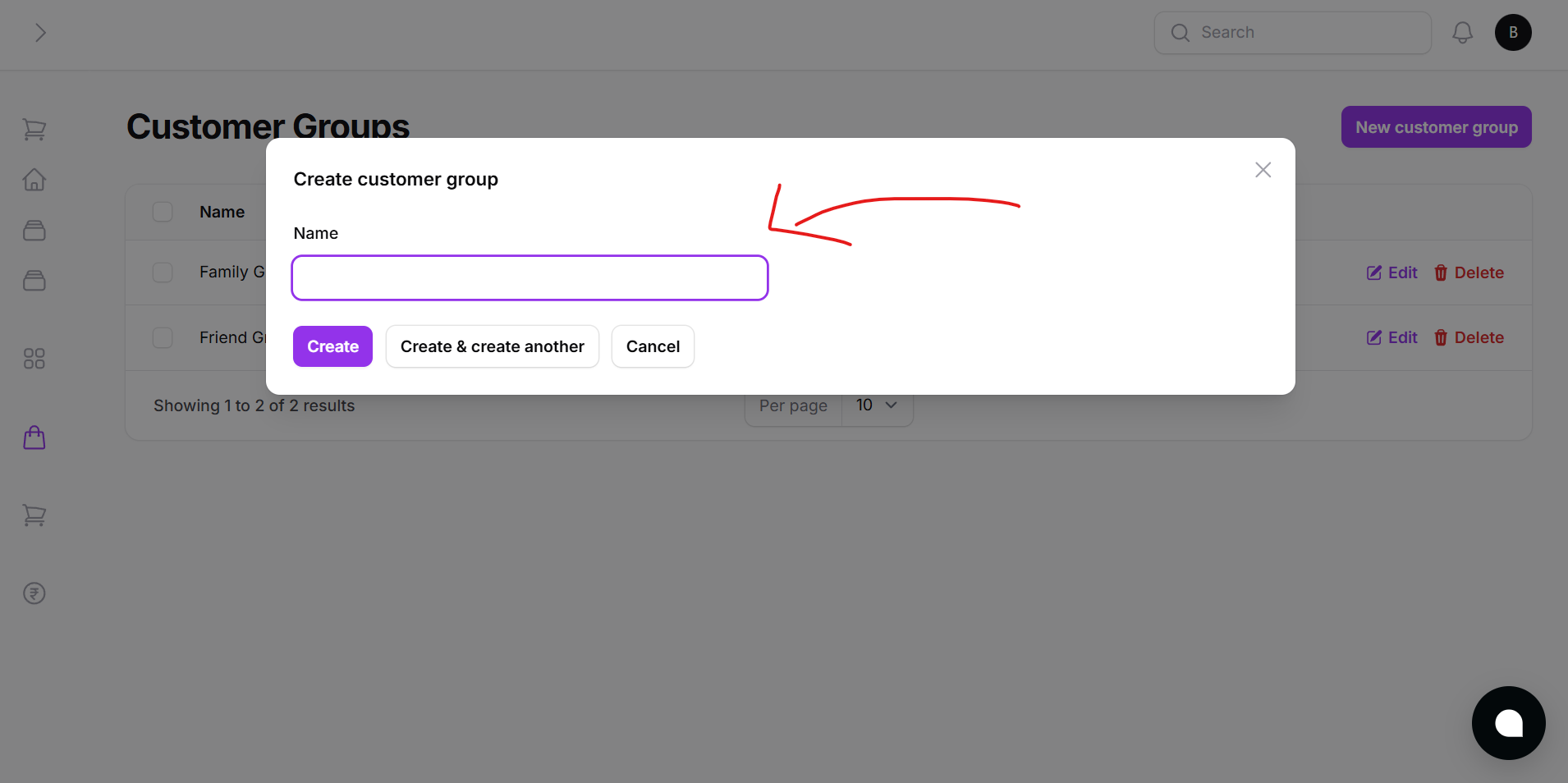
A modal will appear with:
- Group Name input field
You can:
- Click Create to save and exit
- Or click Create and Add Another to quickly enter multiple groups
Grouping customers allows you to:
- Organize for targeted offers
- Analyze behavior by group
- Customize service levels
- Improve customer tracking and reporting
Customer groups are optional but recommended for businesses that deal with many recurring customers.