Inventory & Stock Adjustment
Manage real-time stock levels and make manual adjustments when necessary - whether due to damage, stock audits, or returns.
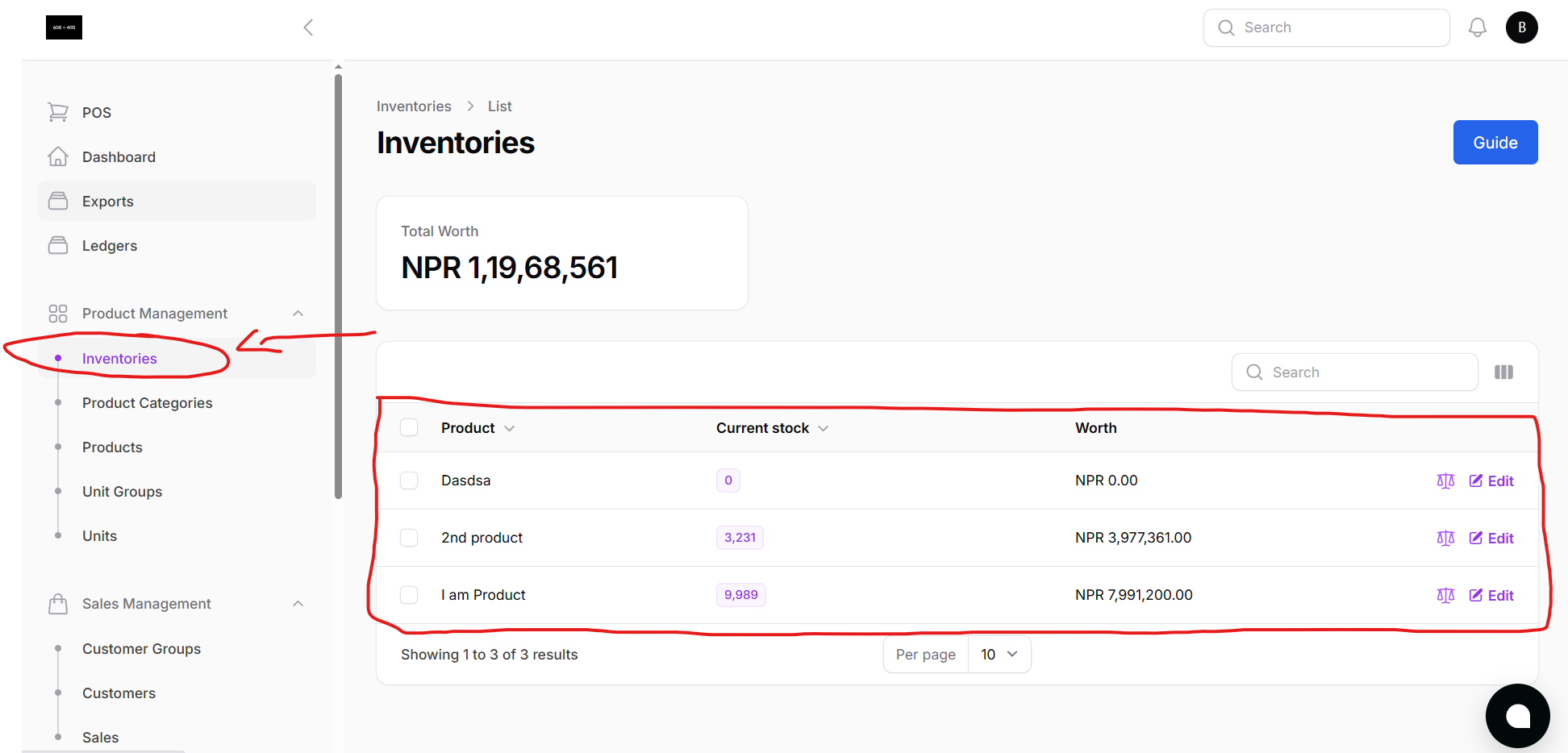
From the Inventory page, you can:
- View current stock levels for all products
- Monitor which items are in stock, low, or out of stock
- Search and filter products by category or unit
Stock Adjustment
Need to manually correct stock? Use the Stock Adjustment option.
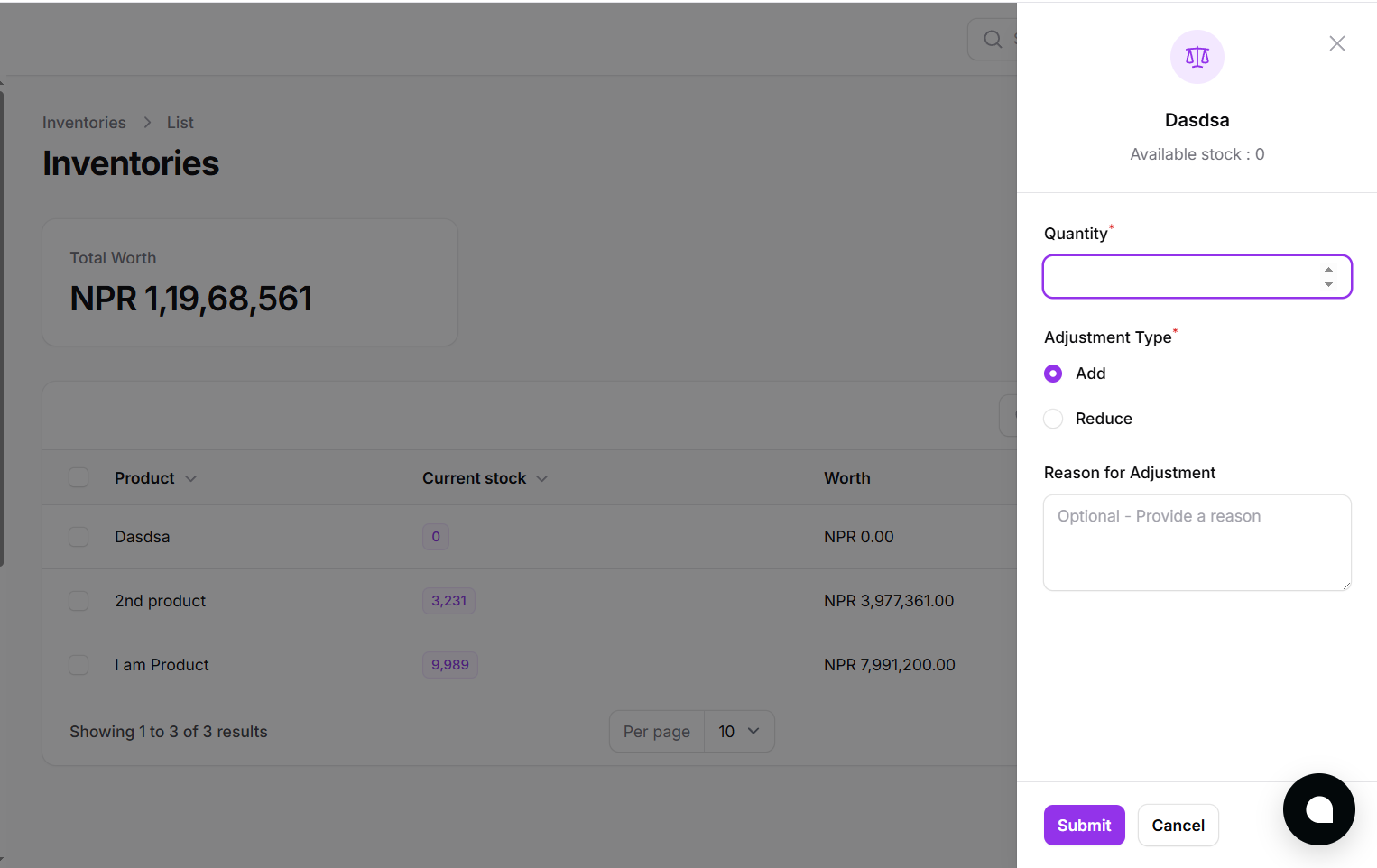
You can:
- Increase or decrease product quantity
- Add a note or reason for the adjustment (e.g., damaged items, stock correction)
- All adjustments are recorded for traceability
Keep your stock accurate and up-to-date, no more guesswork or manual counting errors.