Payments Management
Batuly keeps all your business payments organized in one place, whether it's money you’ve received from customers or payments you’ve made to suppliers.
Every payment is automatically recorded and displayed based on transaction type, ensuring full transparency and easy tracking.
Accessing Payments
To view and manage all payments:
- Click on the "Payments" option from the sidebar.
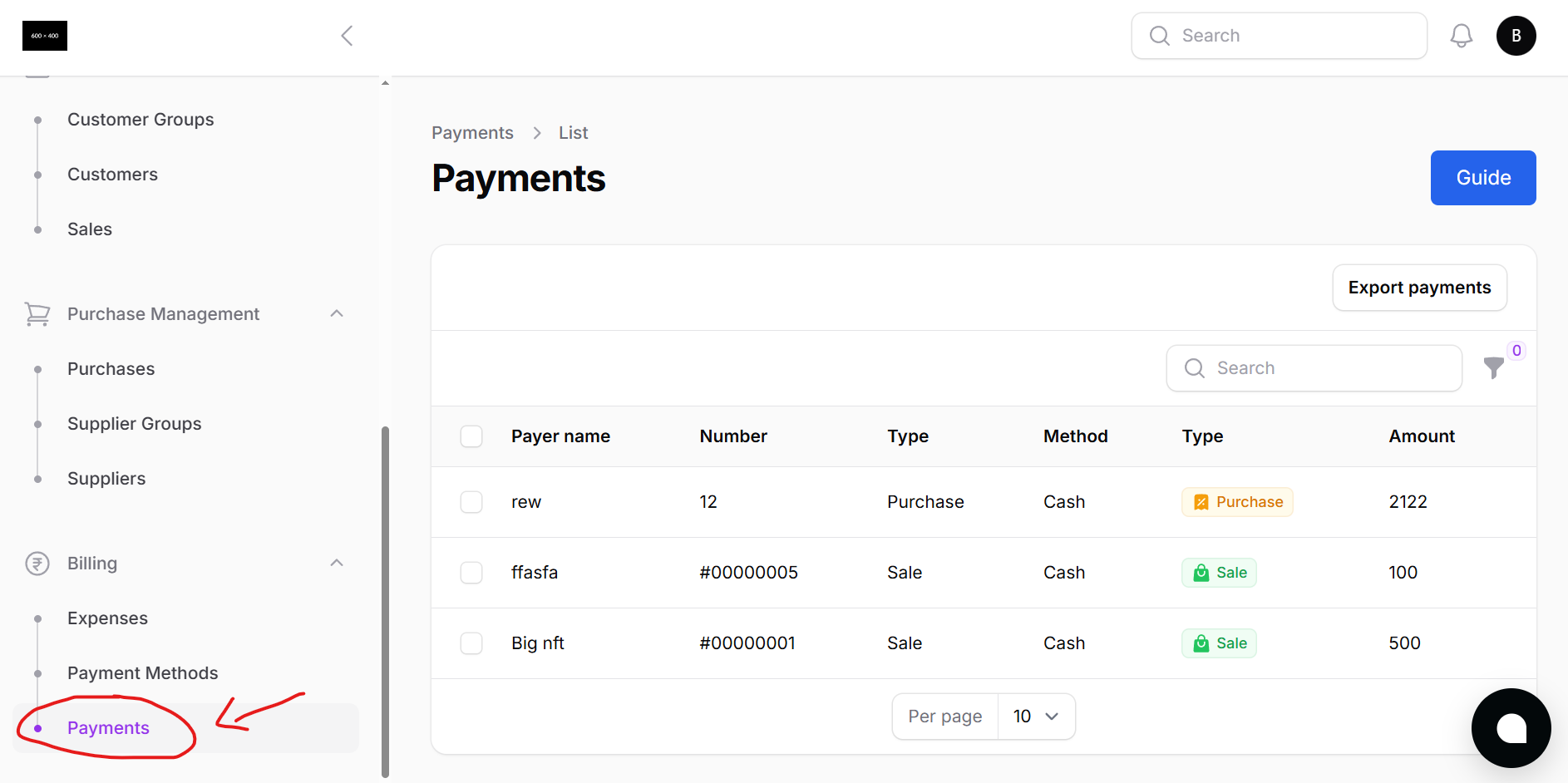
Here’s what you’ll see:
- A full list of all customer and supplier payments
- Each row displays:
- Transaction Type (Sale / Purchase)
- Party Name (Customer or Supplier)
- Payment Method (Cash, Bank, Cheque, etc.)
- Amount Paid
- Invoice Number
- Date of Payment
You can also search and filter to narrow down by party name, date range, or type.
Automated Payment Entry
No need to manually add payments. Batuly records payments when:
- You receive full, partial, or due payments during Sales
- You pay full, partial, or due amounts during Purchases
- You clear dues from Customer or Supplier detail pages
Everything is reflected instantly here - clean, fast, and automatic.
Why Payment Tracking Matters
Proper payment tracking ensures you:
- Avoid confusion between pending and cleared invoices
- Maintain accurate ledgers for every customer and supplier
- Have financial clarity on cash flow and receivables
Track every rupee.
Know what’s paid, what’s pending, and what’s due - all in one place, without the mess.