Payment Method Management
Managing how your business sends and receives money is crucial. Batuly allows you to create and customize different Payment Methods that fit your business - whether it’s cash, bank transfer, mobile wallets, or QR-based digital payments.
Accessing Payment Methods
To manage your available payment modes:
- Click on the "Payment Methods" option from the sidebar.
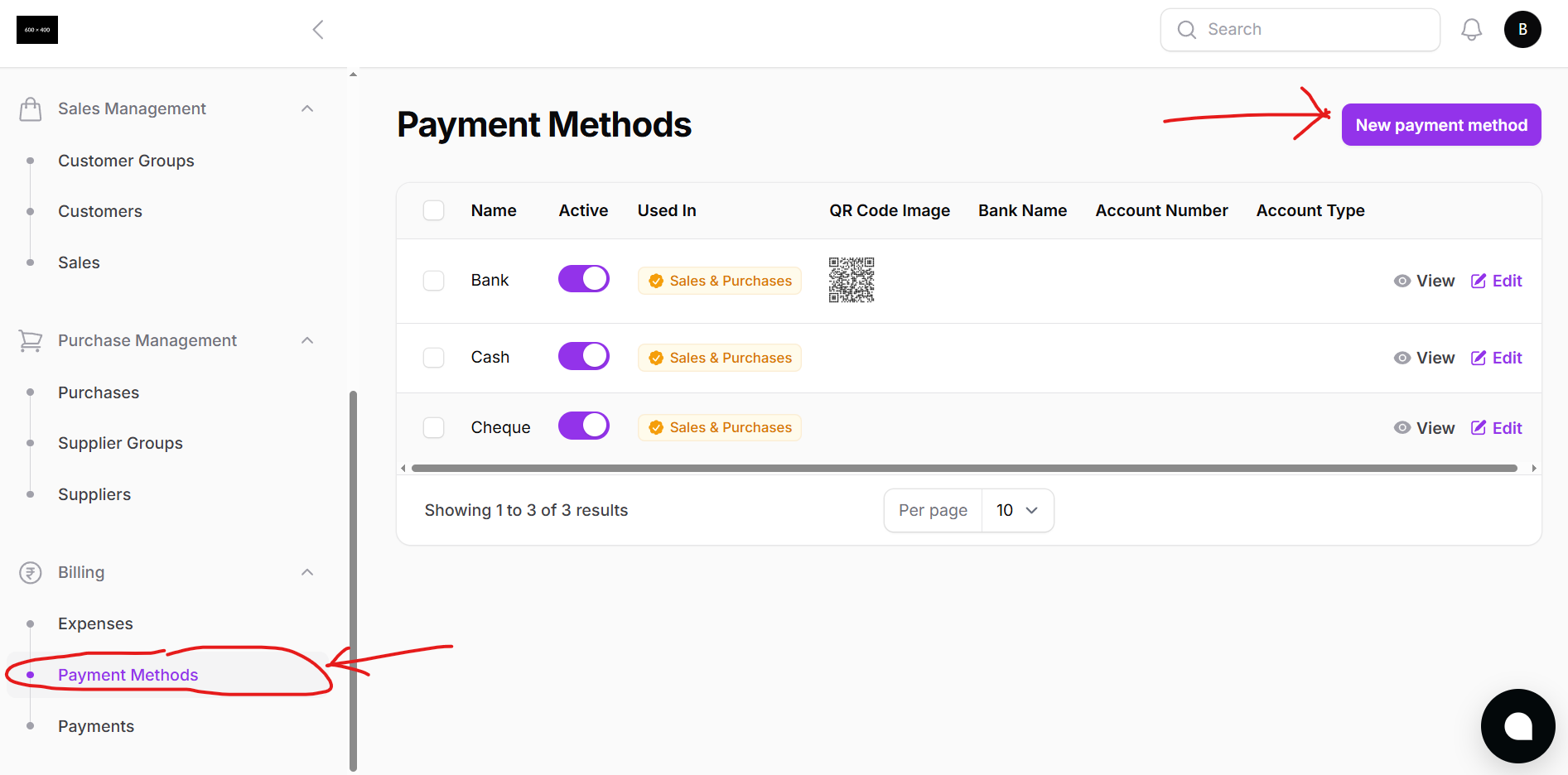
This page shows all existing payment methods including:
- Payment Method Name
- Bank Name (if applicable)
- Account Number
- Account Type (e.g., Saving, Current)
- QR Code (optional)
You can use this section to update, delete, or organize how your business handles different payment types.
Creating a New Payment Method
To create a new payment method:
- Click on the "New Payment Method" button
- A modal window will appear where you can fill in the details
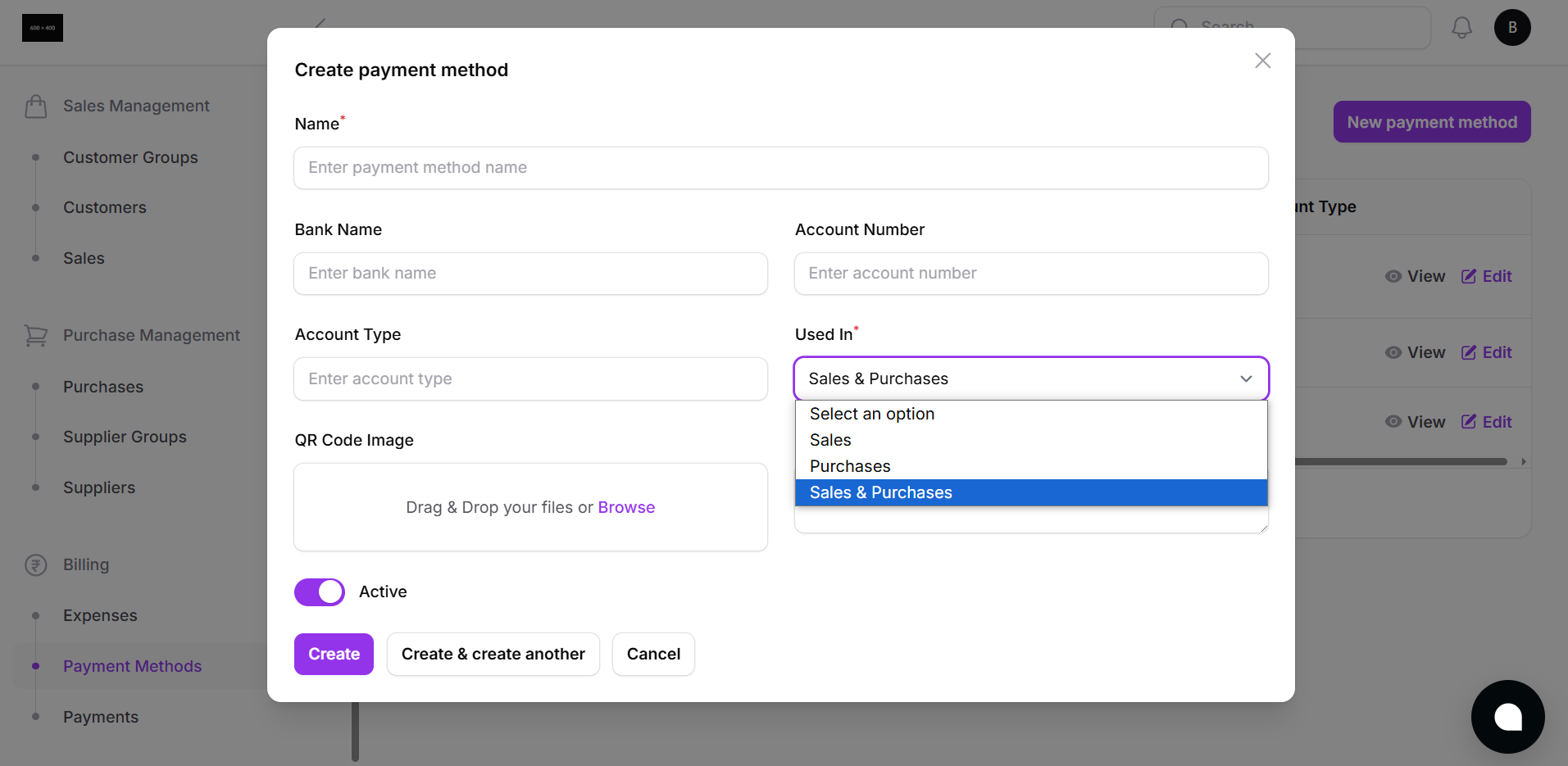
Fields:
- Payment Method Name e.g., eSewa, Bank Transfer, Cash, Khalti
- Bank Name (if applicable)
- Account Number
- Account Type Saving / Current
- Upload QR Code (Optional)
After filling the fields, you can choose to:
- Create the payment method
- Or Create and Add Another to keep adding more seamlessly
Where Are Payment Methods Used?
Once created, these payment methods will appear during:
- Sales and Purchases checkout
- Due payments from customer or supplier lists
- POS screen for dynamic checkout options
Why It Matters
Creating structured payment methods helps you:
- Track income and expenses more accurately
- Assign payments to specific banks or channels
- Make reconciliation and reporting easier
- Offer flexible options to customers
Customize once, use everywhere.
Batuly gives you the flexibility to collect and send money the way your business needs.