Customer Management
Managing your customers in Batuly is straightforward and flexible. You can add, track, and manage individual customers, assign them to groups, view their ledger, and handle due payments, all from one place.
Navigating to Customers
Click on Customers from the sidebar to access the customer list.
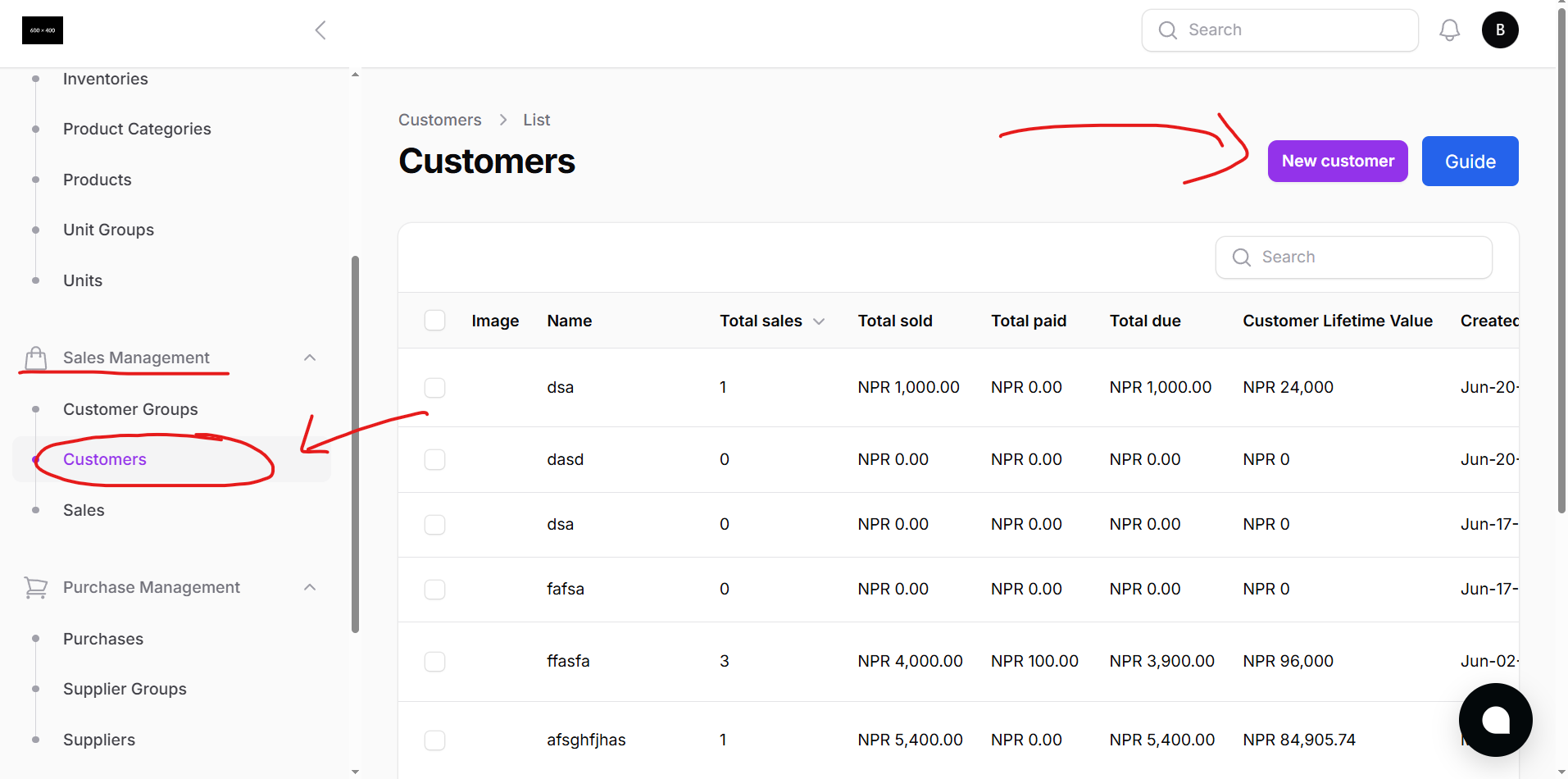
Customer List Overview
The customer list displays all customers you’ve added to the system.
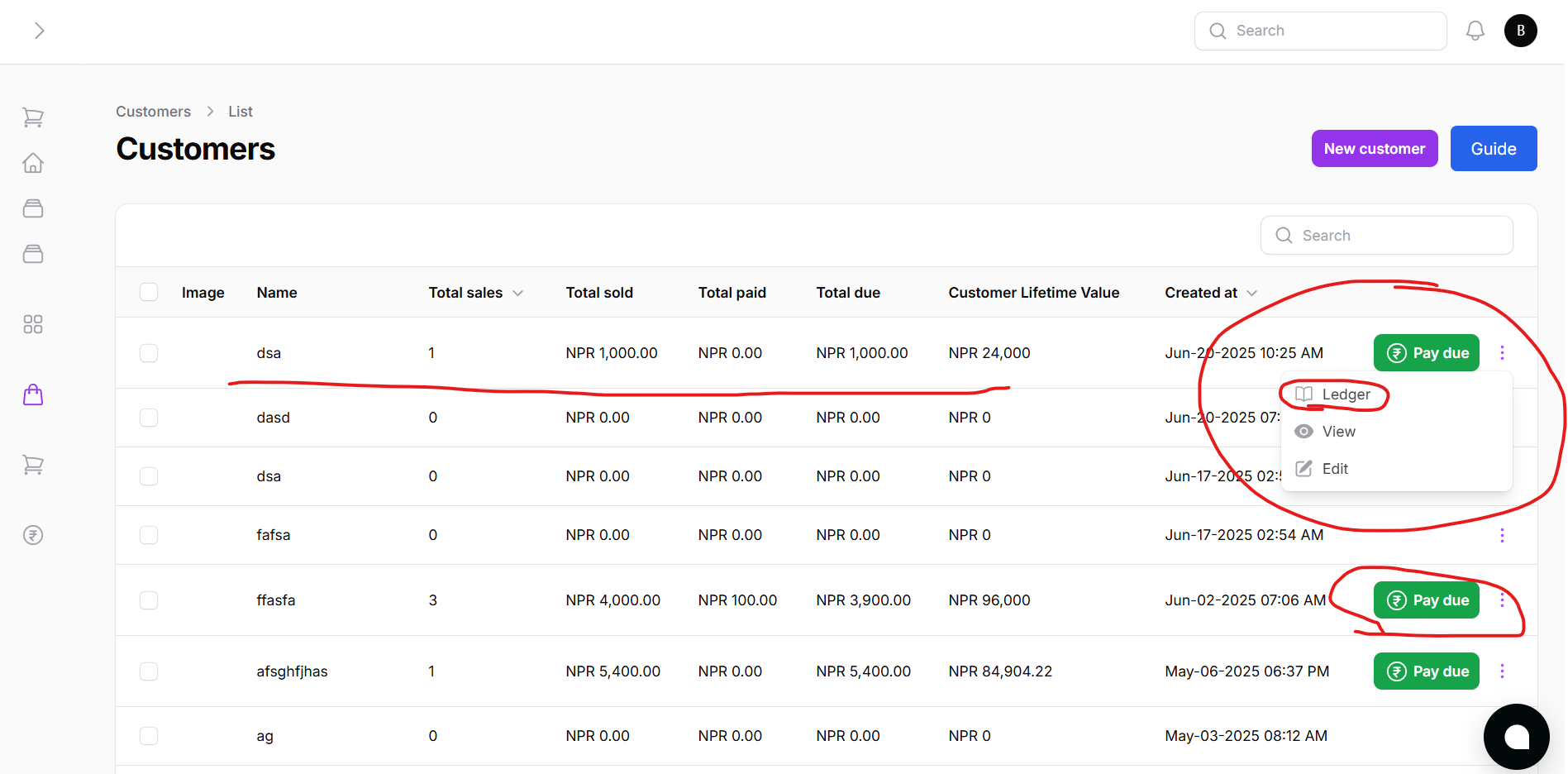
Features:
- Edit or Delete customer
- Pay Due: Instantly settle outstanding payments
- Ledger: View customer-specific transaction history
Adding a New Customer
Click the New Customer button to add a customer manually.
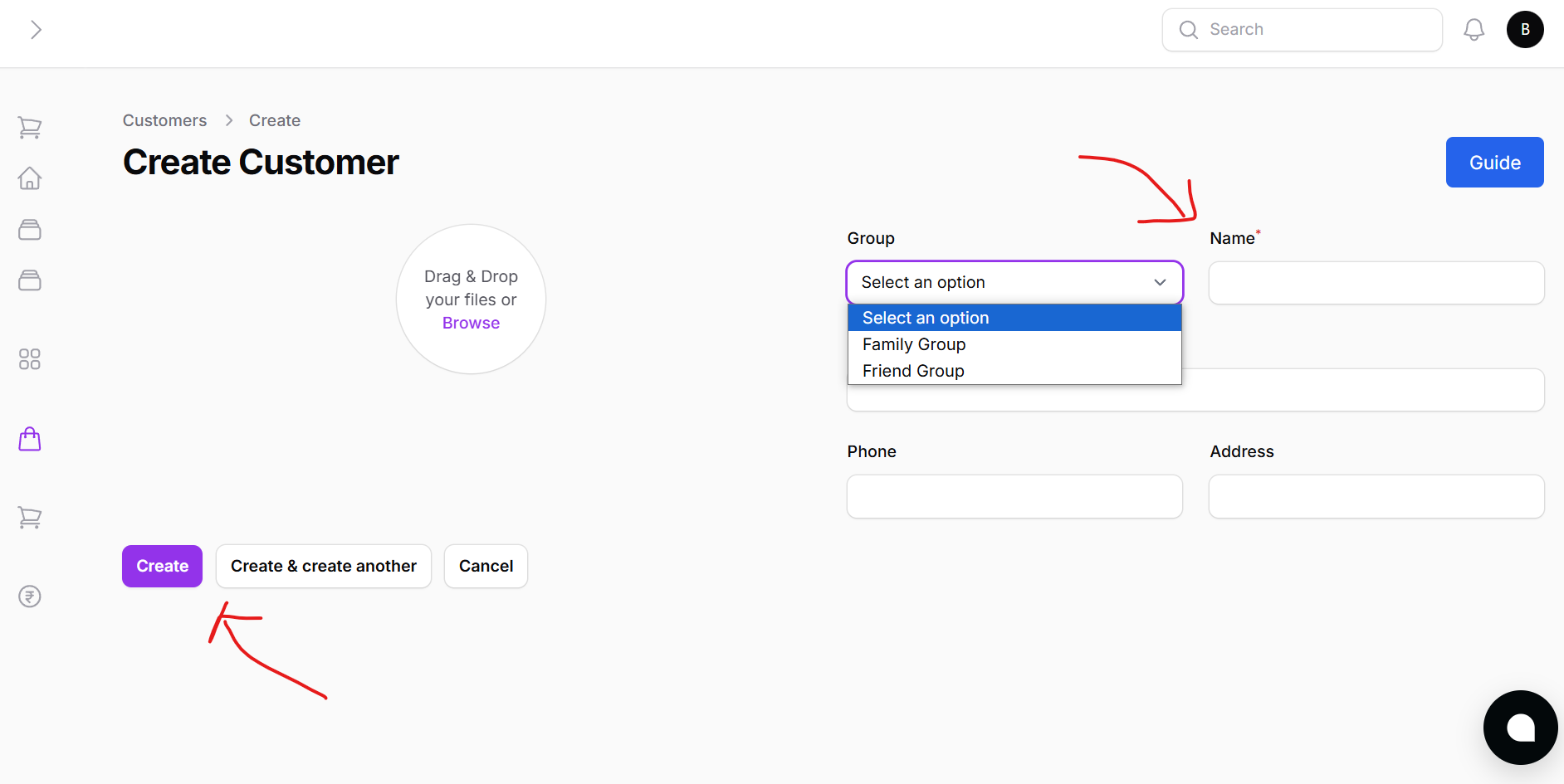
Fields Include:
- Customer Name
- Phone Number
- VAT Number (optional)
- Address
- Profile Image (optional)
- Assign to Group (optional)
You can either:
- Click Create to add the customer
- Or Create and Add Another for batch entry
Bulk Import Customers
Easily upload a list of customers via Excel.
Steps:
- Download sample Excel template
- Fill in the required customer data
- Upload the completed file
- All entries are automatically added to the system
Paying Customer Dues
Each customer row has a Pay Due option.
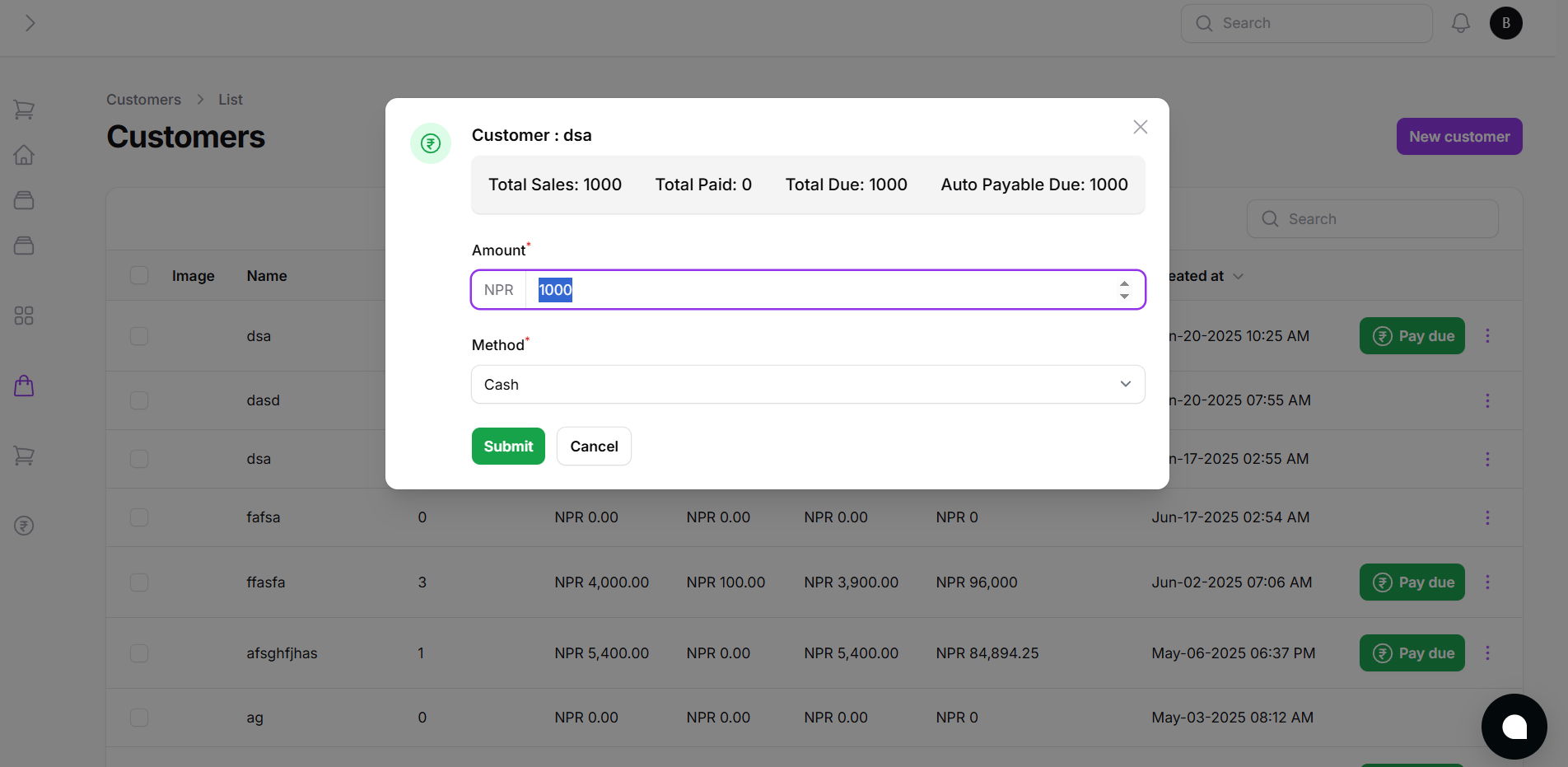
From here you can:
- Enter the amount being paid
- Choose payment method (Cash, Bank, etc.)
- Confirm the transaction
Viewing Customer Ledger
To the right of the Pay Due button is the Ledger button.
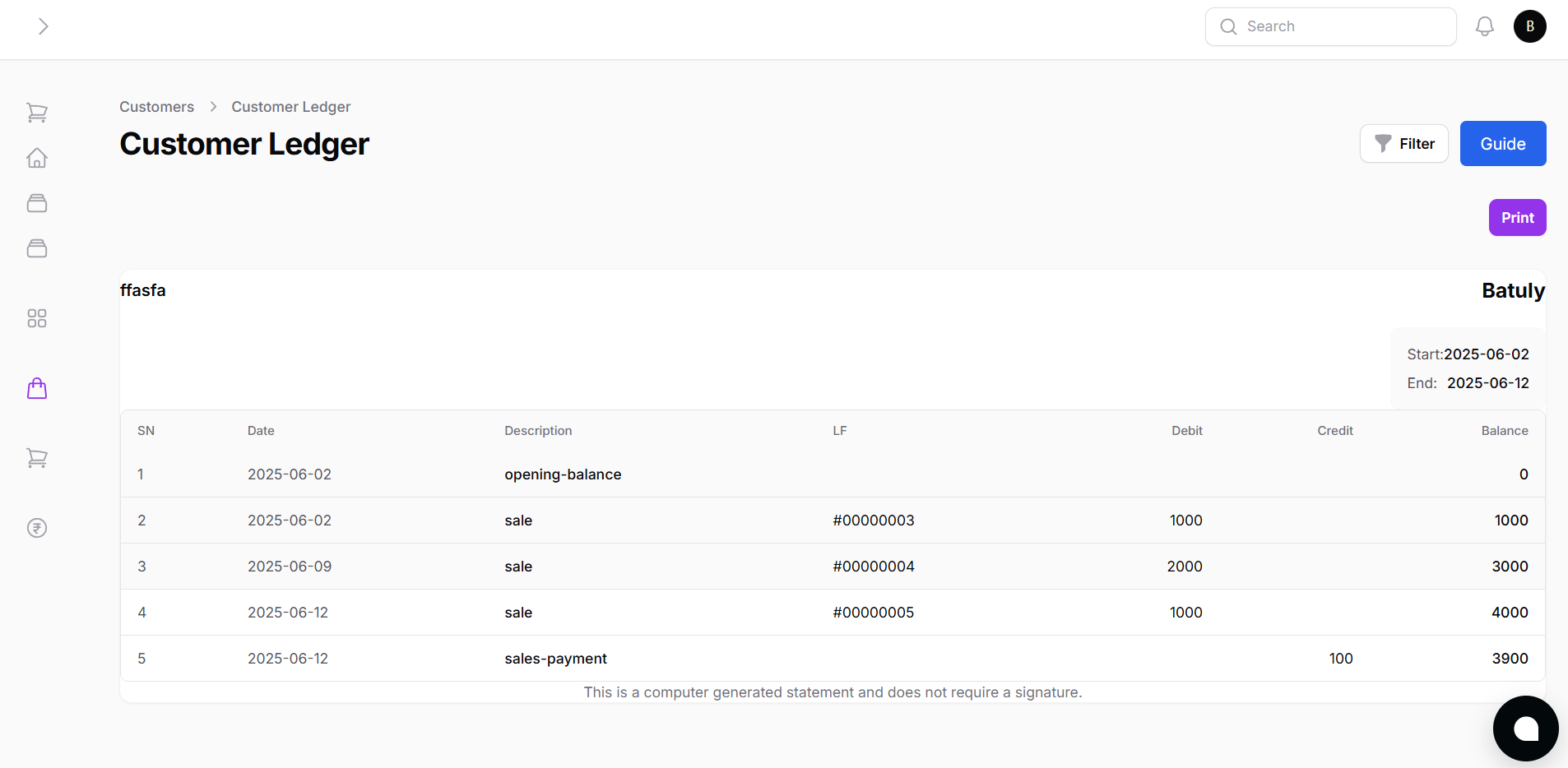
This gives a full history of:
- Sales
- Returns
- Payments received
- Outstanding balances
Viewing Individual Customer Details
Clicking on any customer from the list opens a Customer Detail Page.
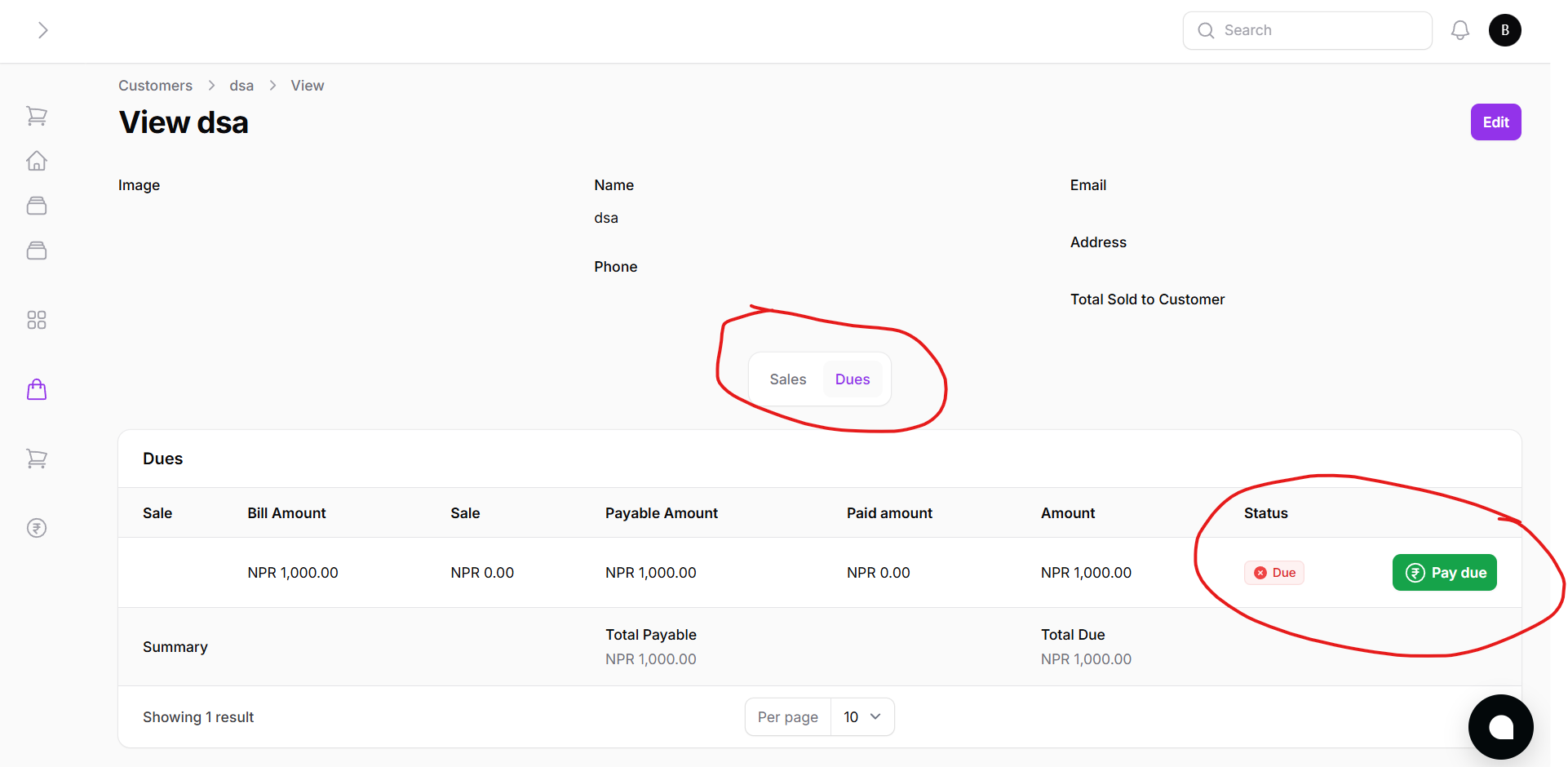
Here, you’ll see:
- List of all sales associated with the customer
- Any due invoices clearly marked
- Ability to pay individual invoices directly
- Summary of total purchases, returns, payments, and current balance
By using Batuly’s customer management system, you keep every transaction recorded and build lasting customer relationships with transparency and ease.