Supplier Group
Supplier Groups help you organize your suppliers into categories like Wholesalers, Distributors, or Local Vendors. This feature is especially useful when managing multiple suppliers and helps with filtering, reporting, and better recordkeeping.
Navigating to Supplier Group
To begin, click on the Supplier Group under purchase management option from the sidebar navigation.
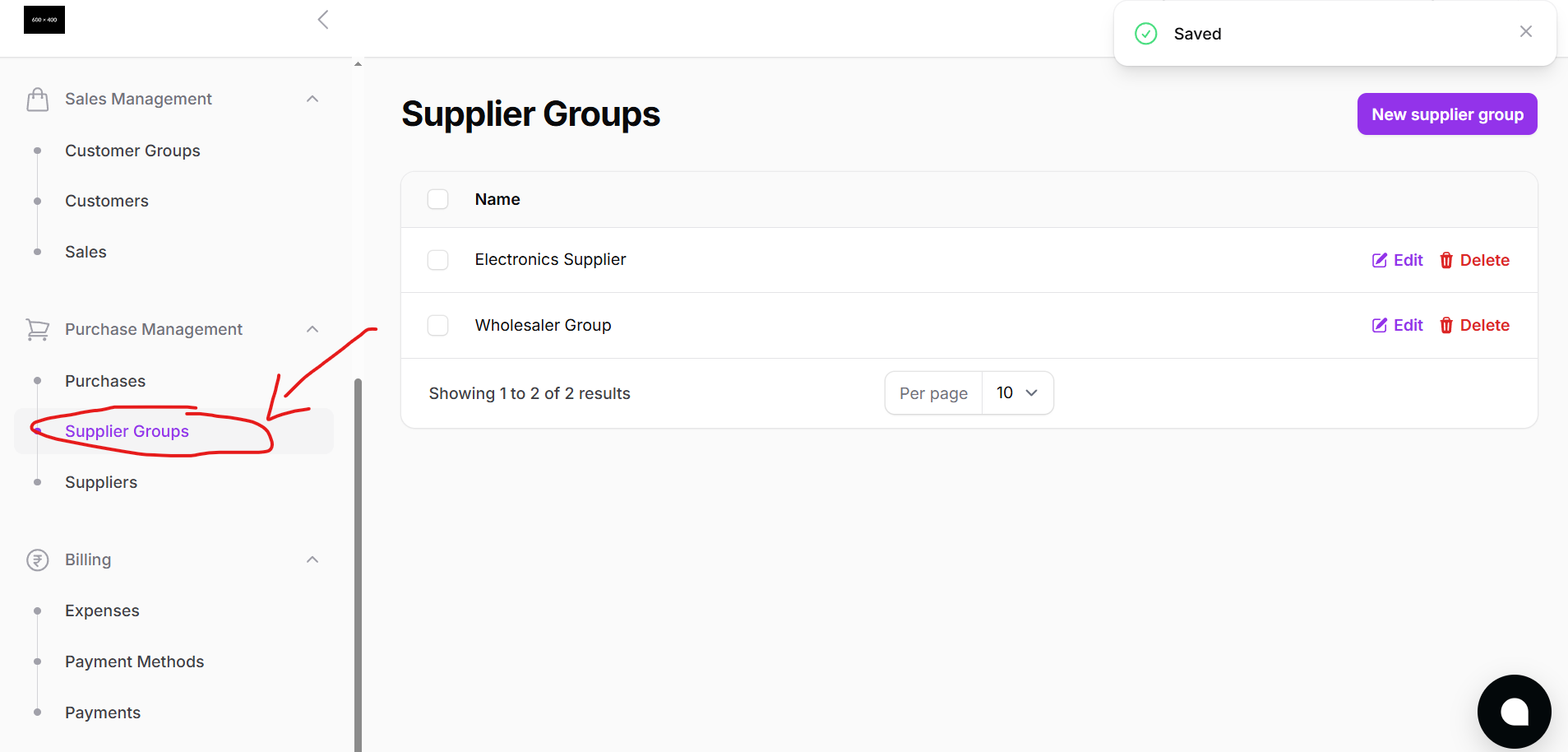
This opens the Supplier Group page where you can view a list of all previously created groups.
Supplier Group Page Overview
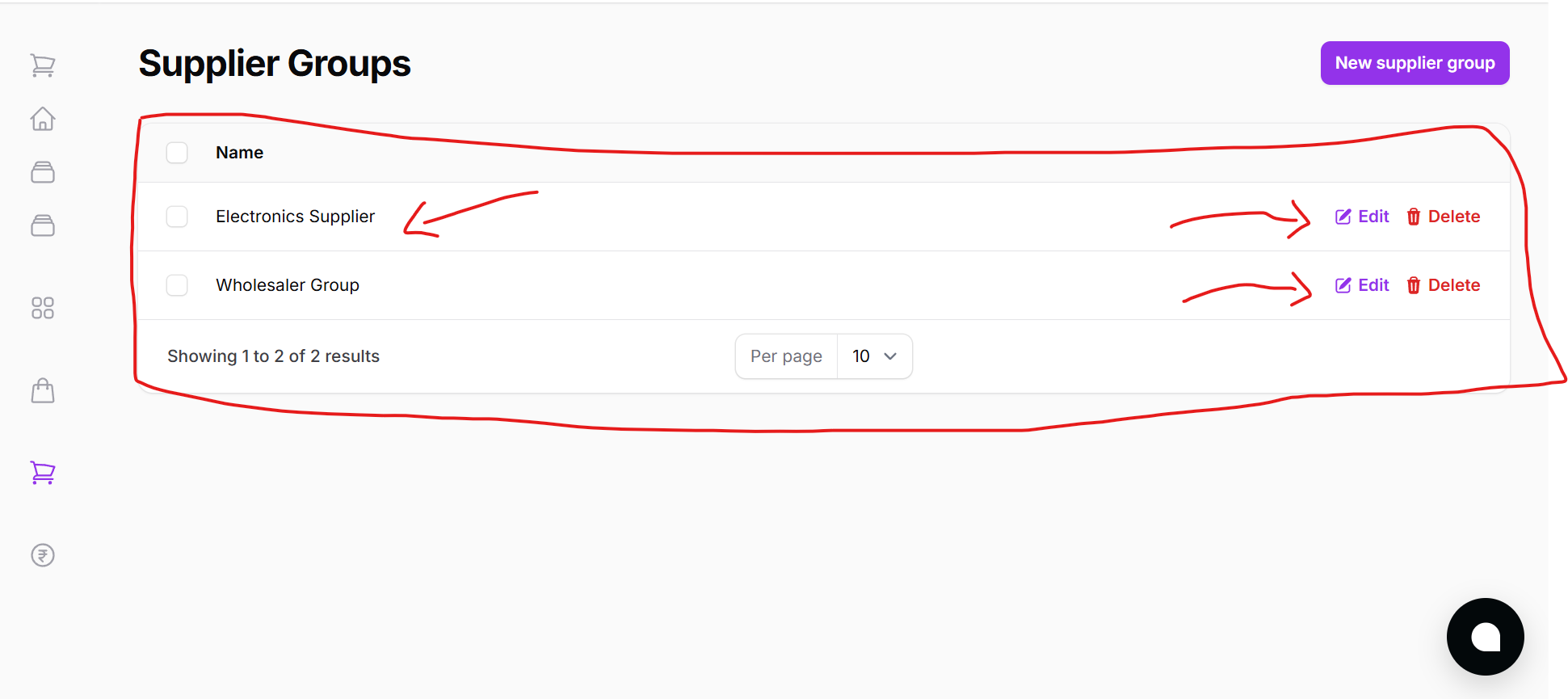
The Supplier Group page allows you to:
- View existing groups in a table layout
- Edit or delete any existing group
- Create new supplier groups easily
Creating a New Supplier Group
Click on the New Supplier Group button to open a modal form where you can enter the group name.
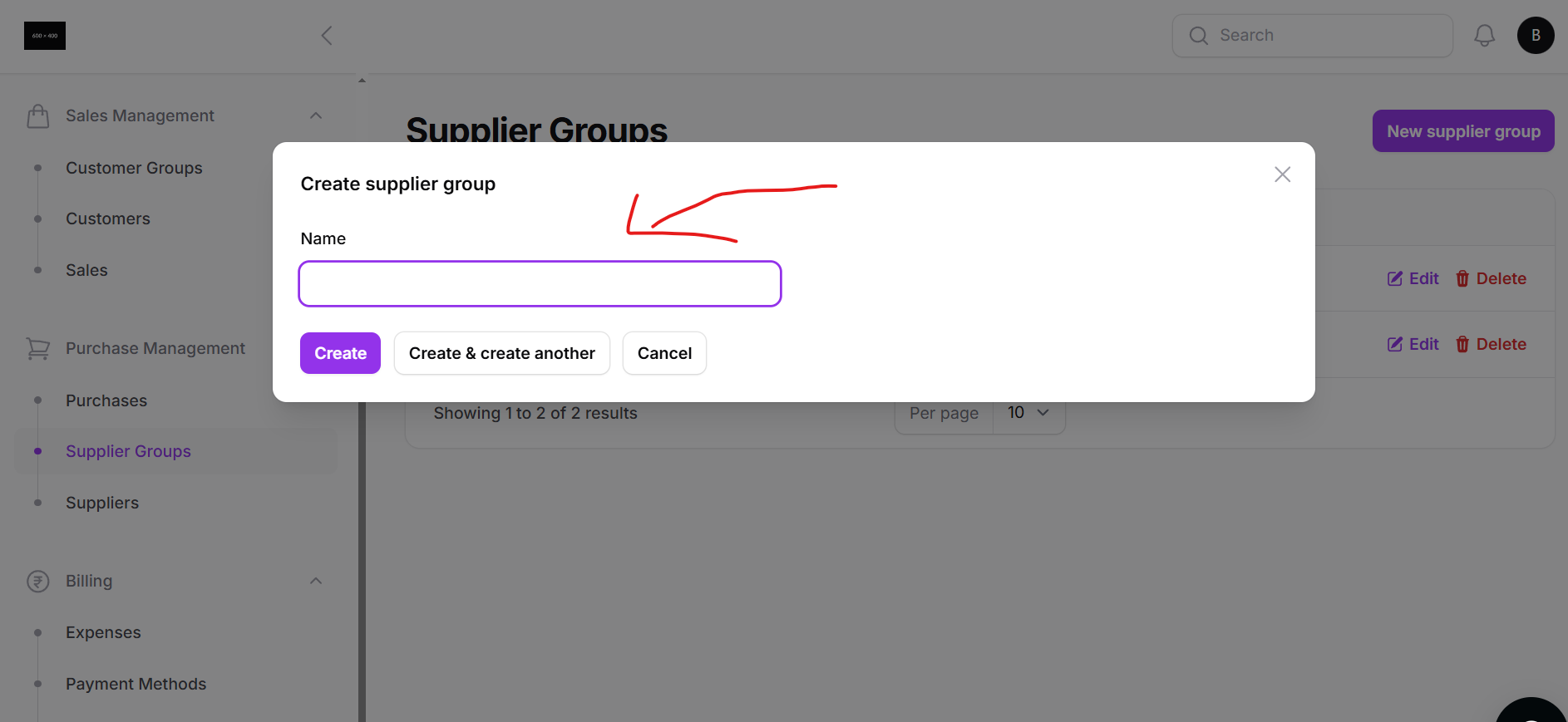
Steps to Create:
- Click on New Supplier Group
- A modal will appear with a Name field
- Enter the desired group name (e.g., Wholesalers)
- Choose:
- Create to save and close
- Create and Add Another to continue adding more without closing the form
Once created, these groups will be available when adding or editing suppliers, helping you categorize and manage them more efficiently.
Supplier groups are optional but strongly recommended for businesses that deal with multiple types of suppliers.