Expenses Management
Tracking your business expenses is essential , and batuly makes it incredibly simple. You can record every business cost, categorize it, and keep your books clean without needing any external spreadsheets or paperwork.
Accessing Expenses
To get started with managing expenses:
- Click on the "Expenses" menu item from the sidebar.
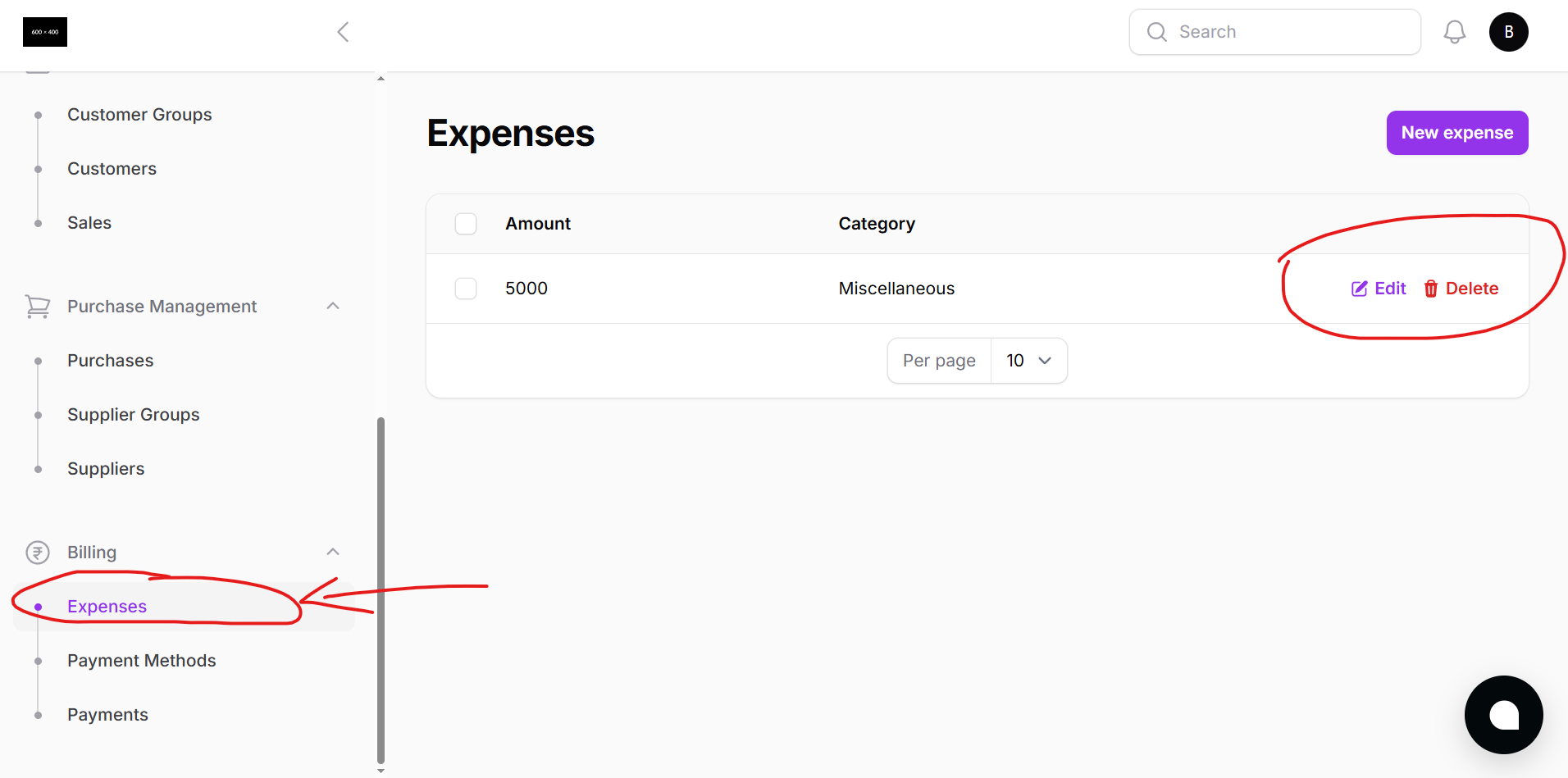
Here, you’ll see:
- A list of all your recorded expenses
- Dates, names, and categories
- Quick filtering and sorting options
Creating a New Expense Entry
To add a new expense:
- Click the "New Expense" button on the top-right
- A modal window will appear with simple fields:
- Expense Name — e.g., Electricity Bill, Internet Subscription, Travel, etc.
- Expense Category — Select a category from the list (or manage categories separately)
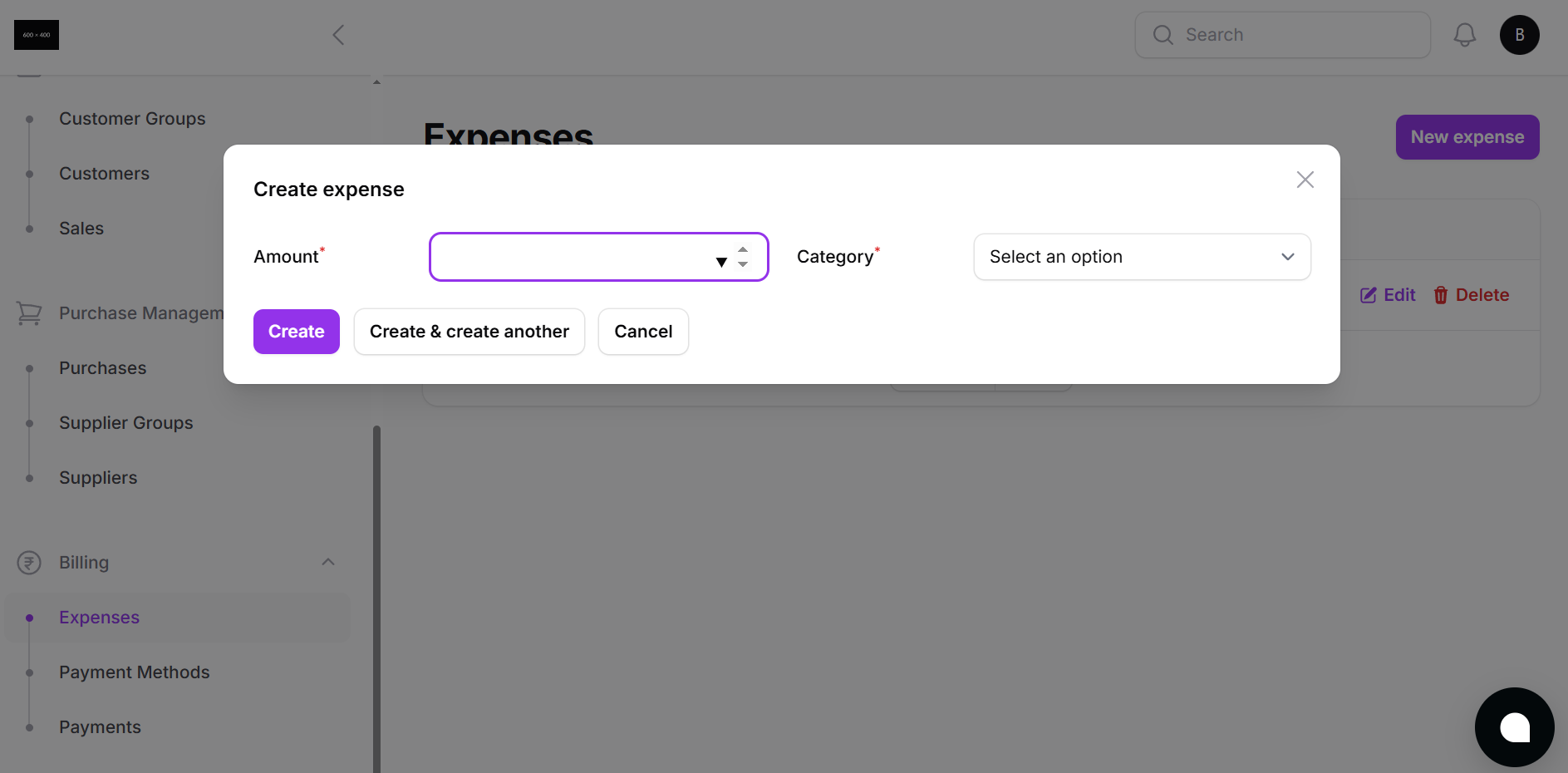
- Click Create to save, or Create and Add Another to quickly log multiple expenses.
Expense Categories
To manage or customize your expense categories:
- Go to Settings or Master Data depending on your system version
- Add/edit categories like:
- Utilities
- Marketing
- Office Supplies
- Rent
- Salary
- Miscellaneous
This helps organize your reports and makes financial analysis easier.
Why Expense Tracking Matters
With Batuly’s Expense module, you can:
- Stay on top of daily, monthly, or custom-range business expenses
- Improve budgeting decisions
- Understand where your money goes
- Prepare accurate profit and loss reports
Simple. Clear. Essential.
Batuly helps you control spending with just a few clicks, no spreadsheets, no mess.