Sales (POS Entry)
Batuly’s POS screen is designed to make the sales process smooth, fast, and flexible for businesses of all sizes. Whether you're selling products or services, the POS lets you complete a sale, apply discounts/taxes, and manage payments, all from a single screen.
Accessing POS Screen
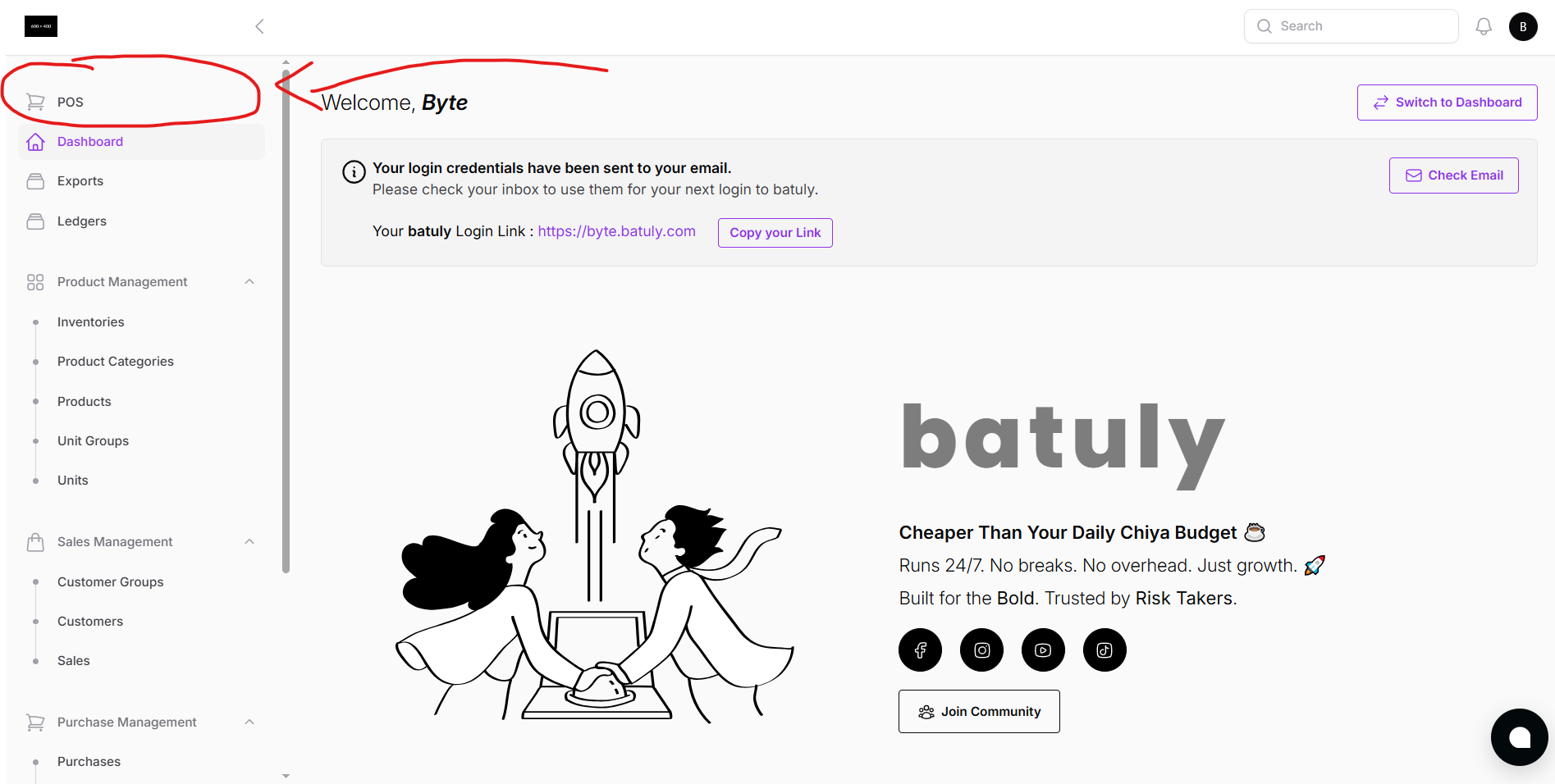
Click on Sales POS from the sidebar to enter the main sales screen.
POS Main Screen Overview
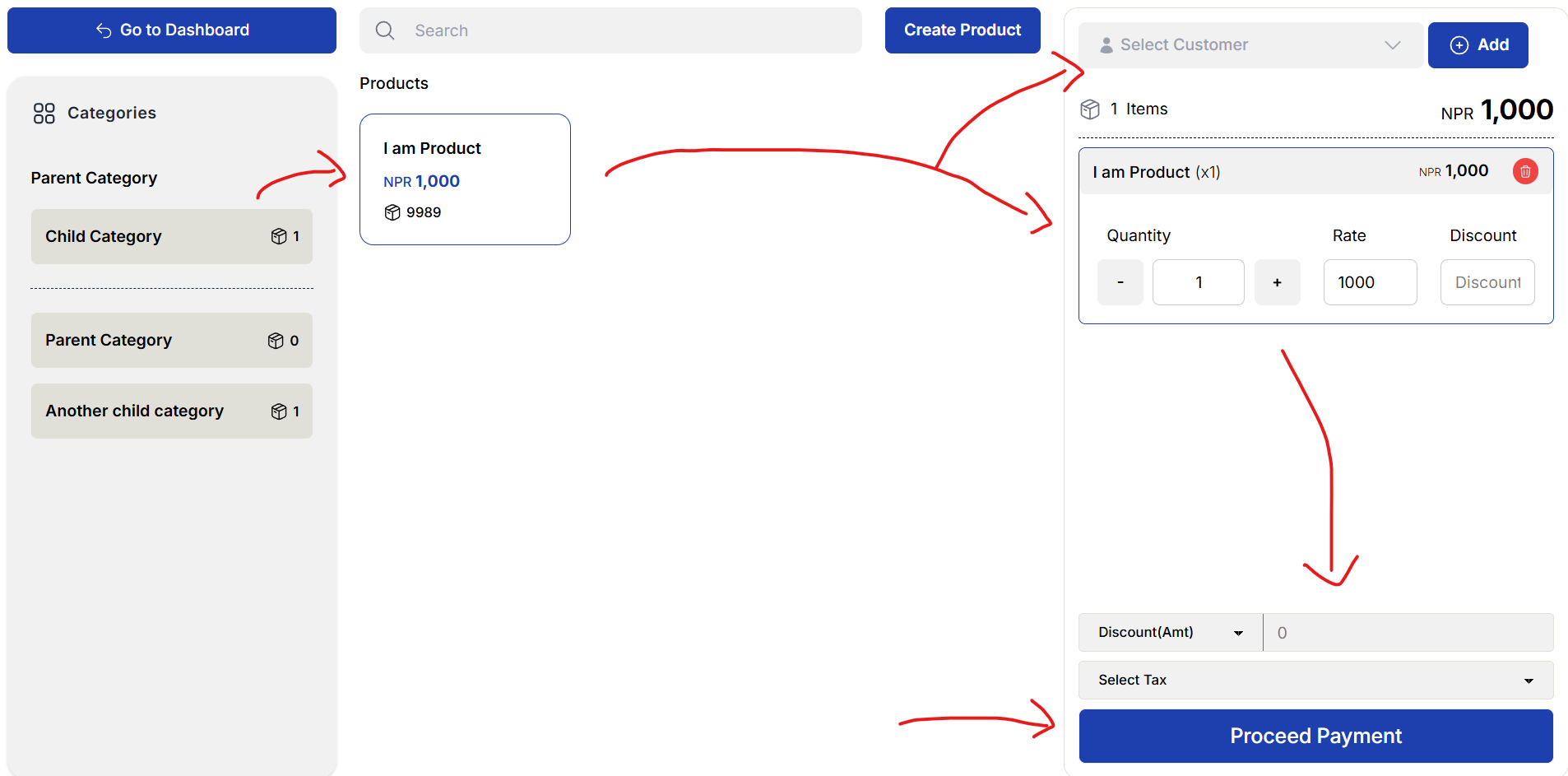
The POS screen offers everything you need to complete a transaction on one page.
Key Functionalities:
- Product Search: Search by name, barcode, or code
- Category View: Clickable product categories
- Product Grid: View and select products by image/name
- Dynamic Cart: Products are auto-added to the cart when clicked
- Inline Edit: Update price, quantity, discount, or tax before checkout
- Customer Selection: Choose from list or add a new customer via modal
Adding a Product or Customer On the Go
No need to leave the screen. You can add products or customers instantly using modals.
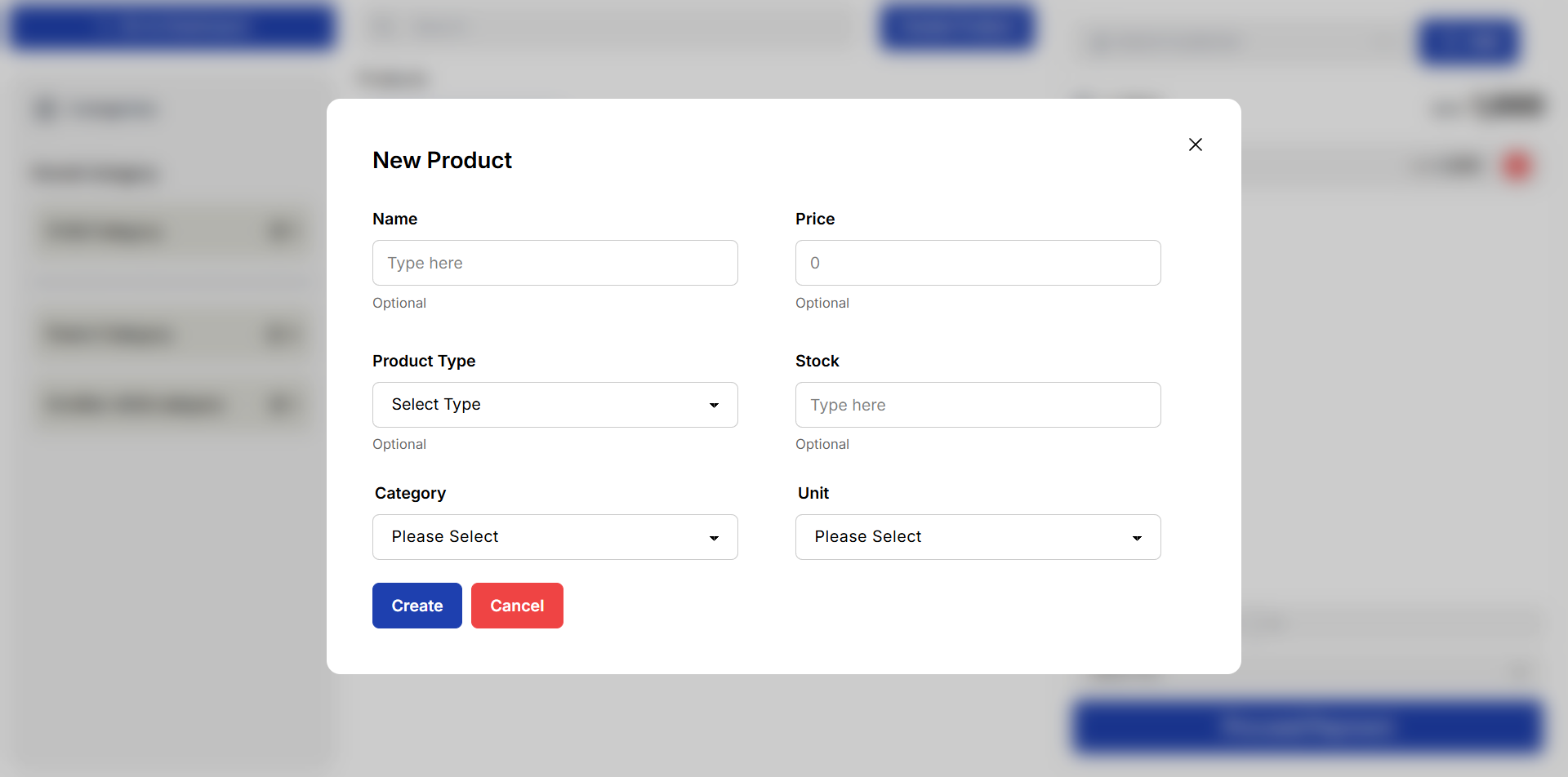
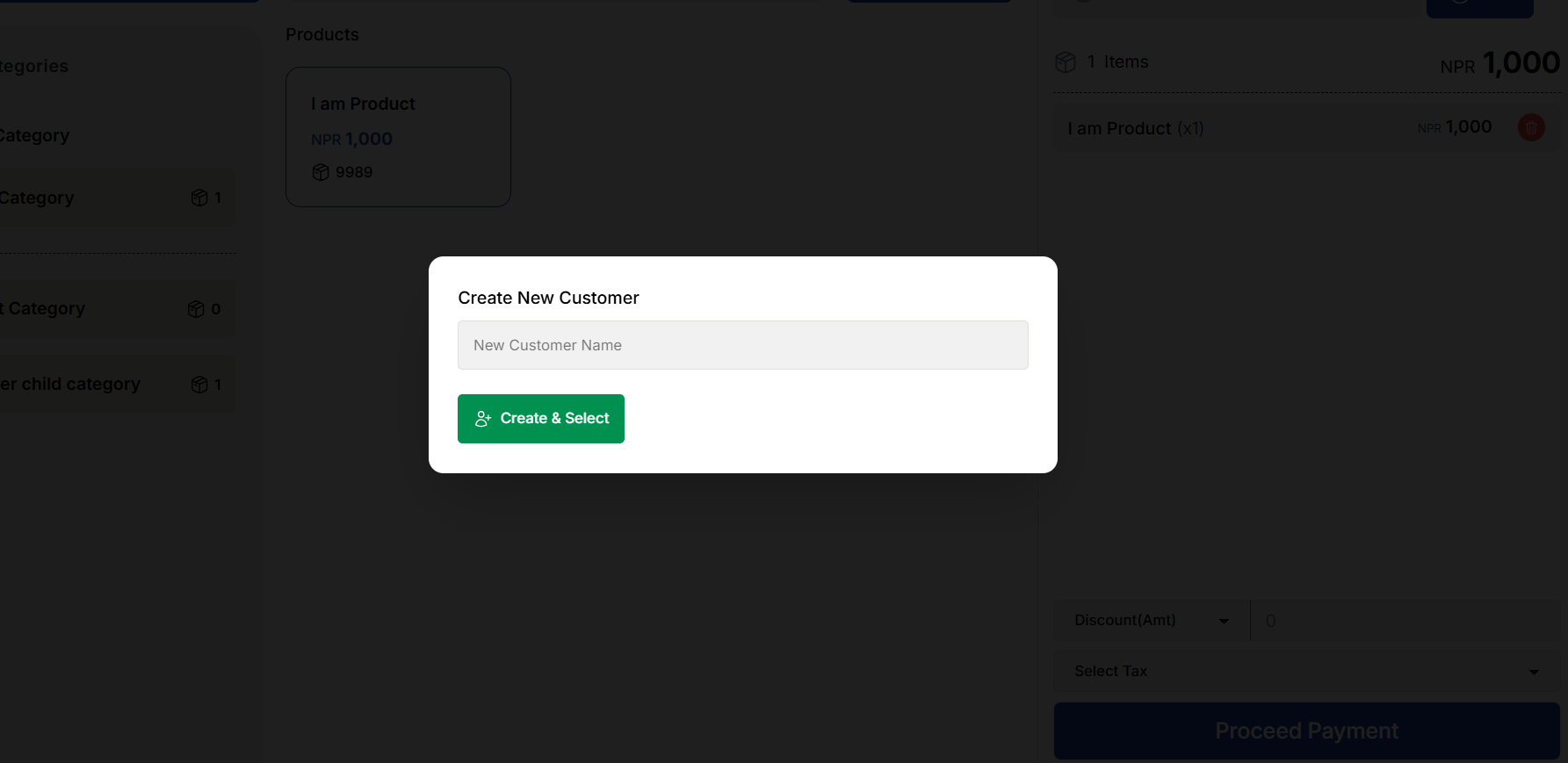
This keeps your workflow fast and uninterrupted.
Editing Items in Cart
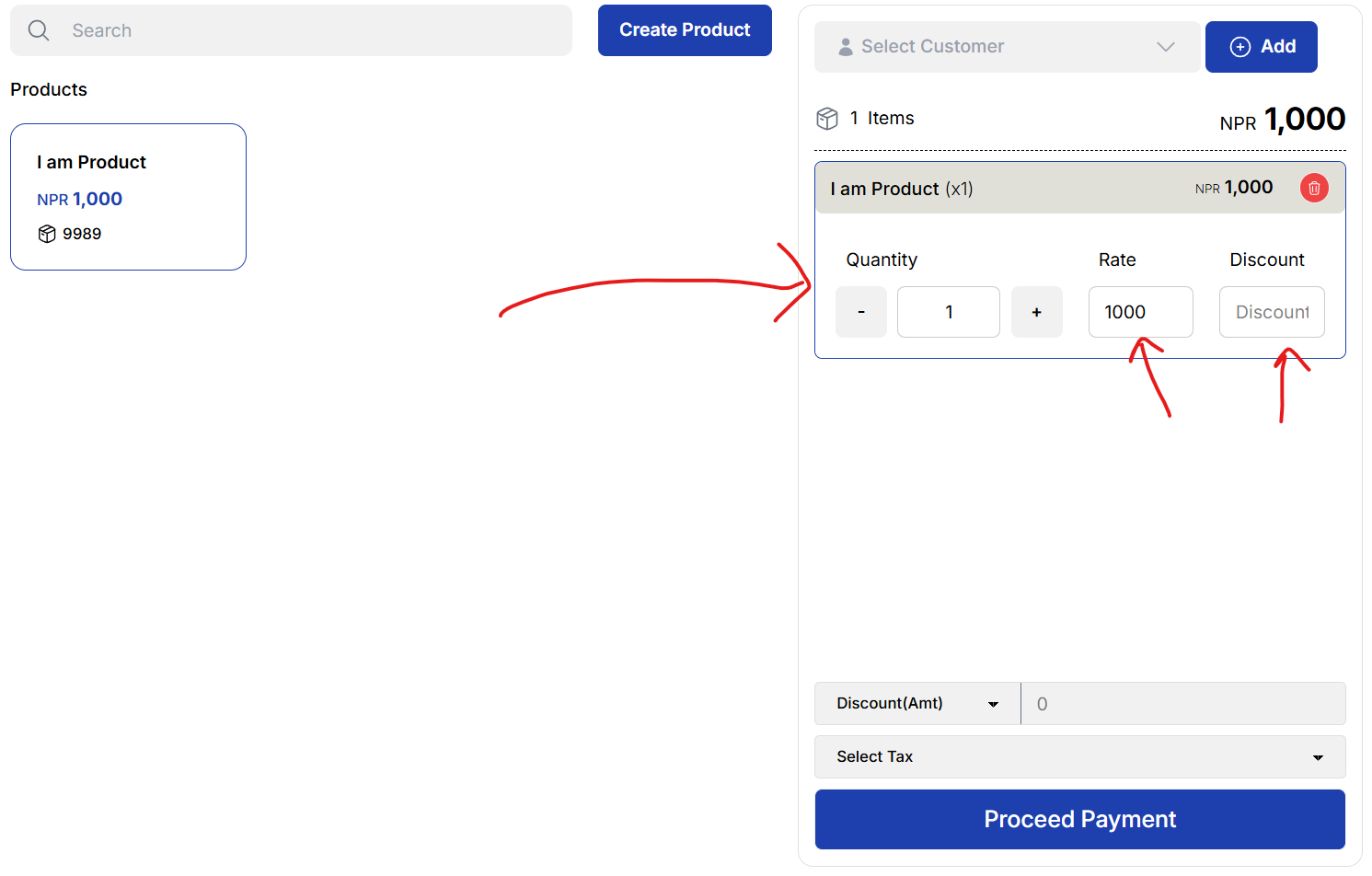
Each product in the cart can be edited directly:
- Change quantity
- Adjust price
- Add per-item discount
This ensures full control of the sale without any extra steps.
Checkout and Payment
Click the Checkout button to complete the sale.
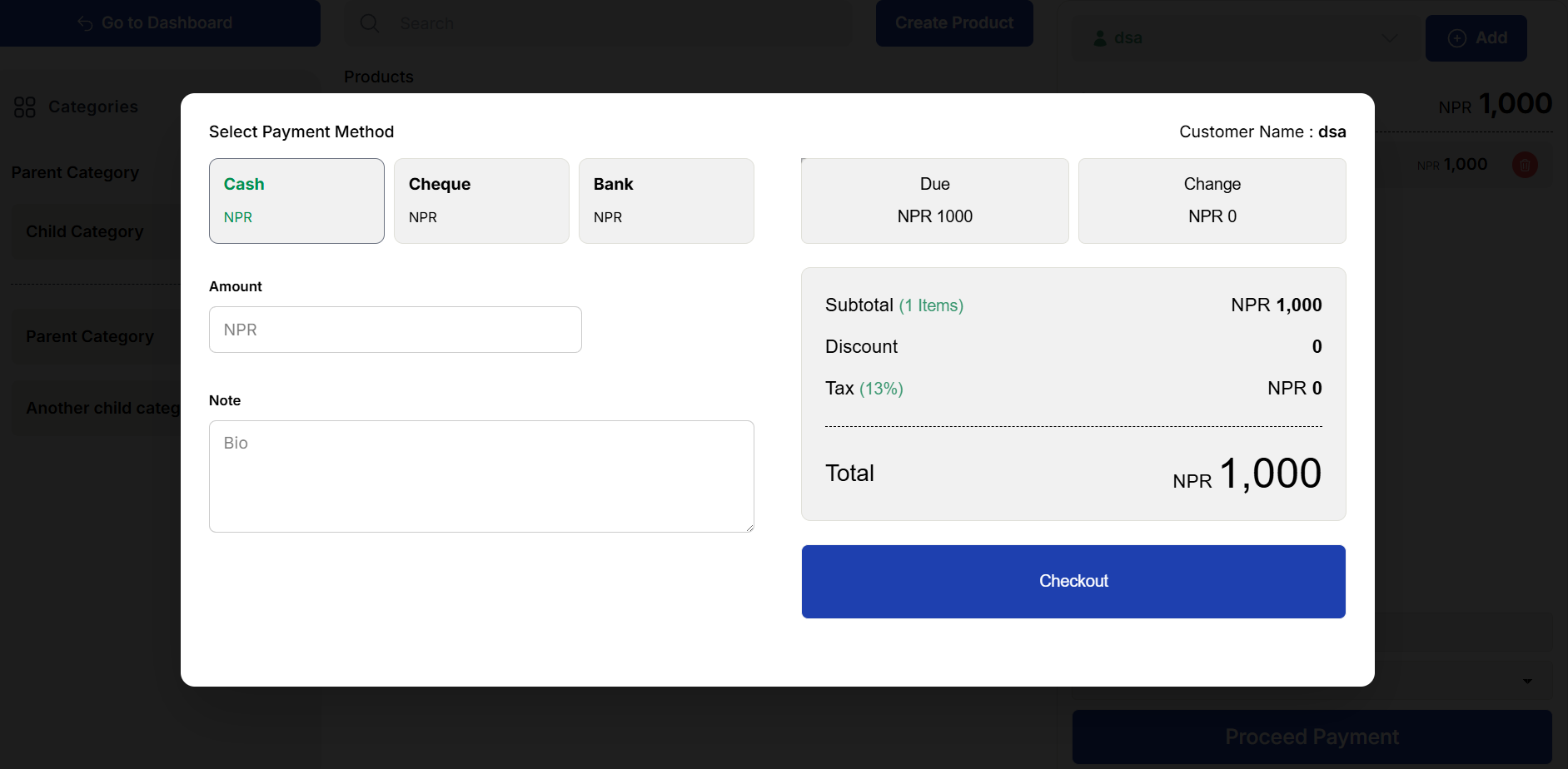
Payment Options:
- Full Payment
- Partial Payment
- Full Due
- Payment Methods: Cash, Bank, QR, Cheque, etc.
Payment method can be selected before invoice generation. All payments are automatically reflected in:
- Sales Report
- Customer Ledger
- Payment Reports
Summary
With Batuly’s POS:
- You can sell faster and smarter
- Every element, customer, product, price is dynamic
- No need to refresh or switch pages
- Real-time sales data, payment tracking, and reporting are automatically managed
Simple, powerful, and optimized for all screen sizes and business types.