Getting Started with Batuly
Welcome to Batuly - your smart, simple, and powerful business assistant.
Getting started is fast, effortless, and requires no technical knowledge. Tracking your daily business operations shouldn’t feel like rocket science - and with batuly, it never will.
Create Your Account
To begin using batuly, simply:
- Visit our official website: https://batuly.com
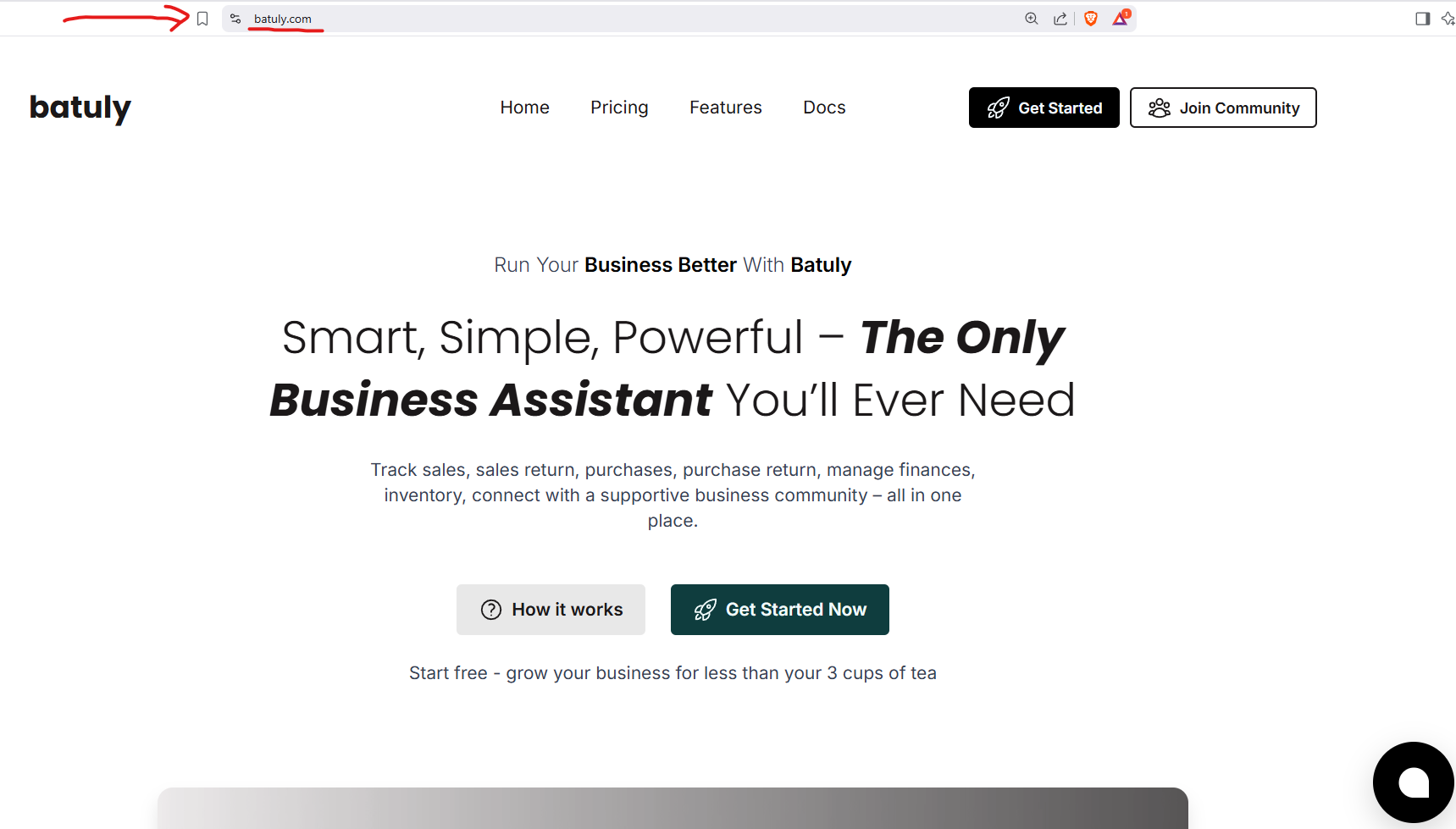
- Click on the “Get Started” button.
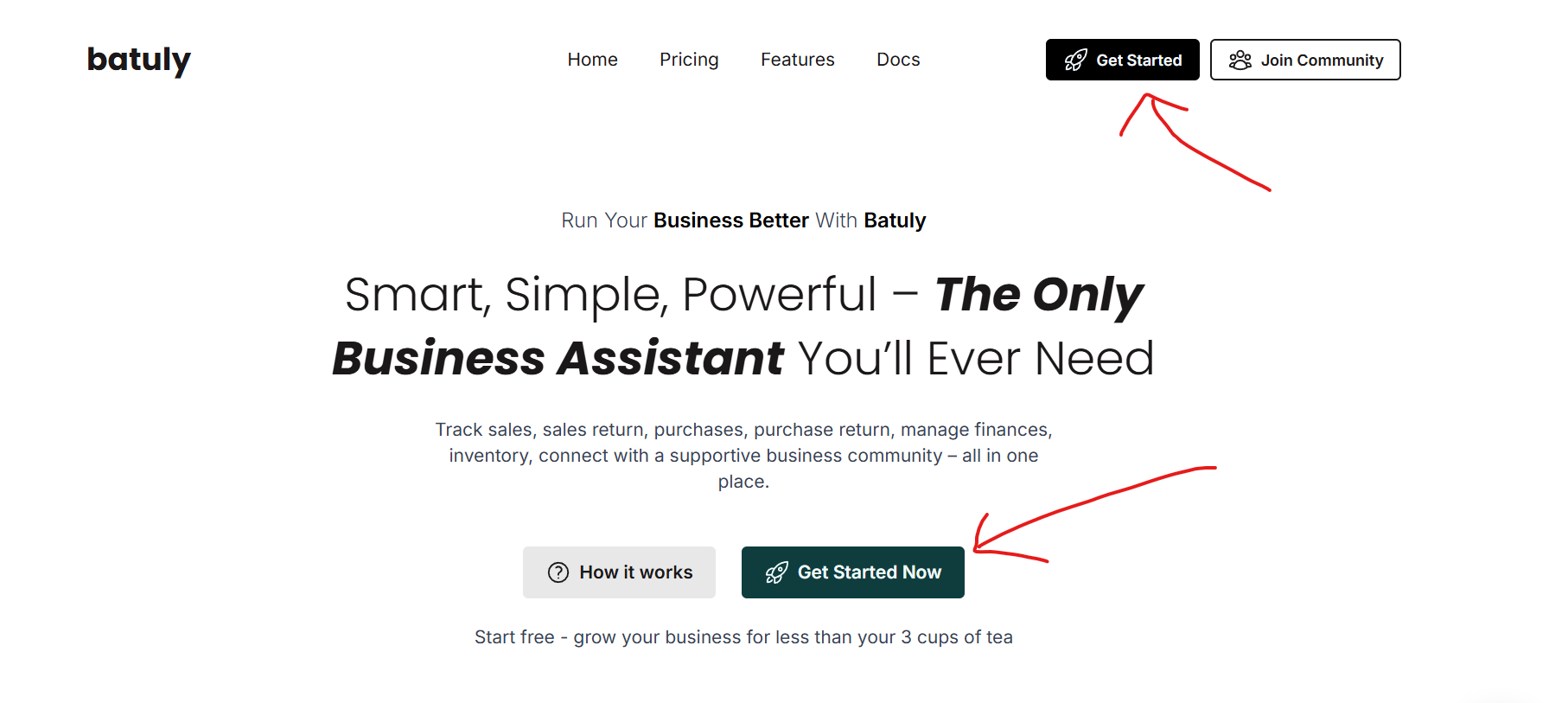
- Choose your Business Category — Retail, Wholesale, Service-based, or Others.
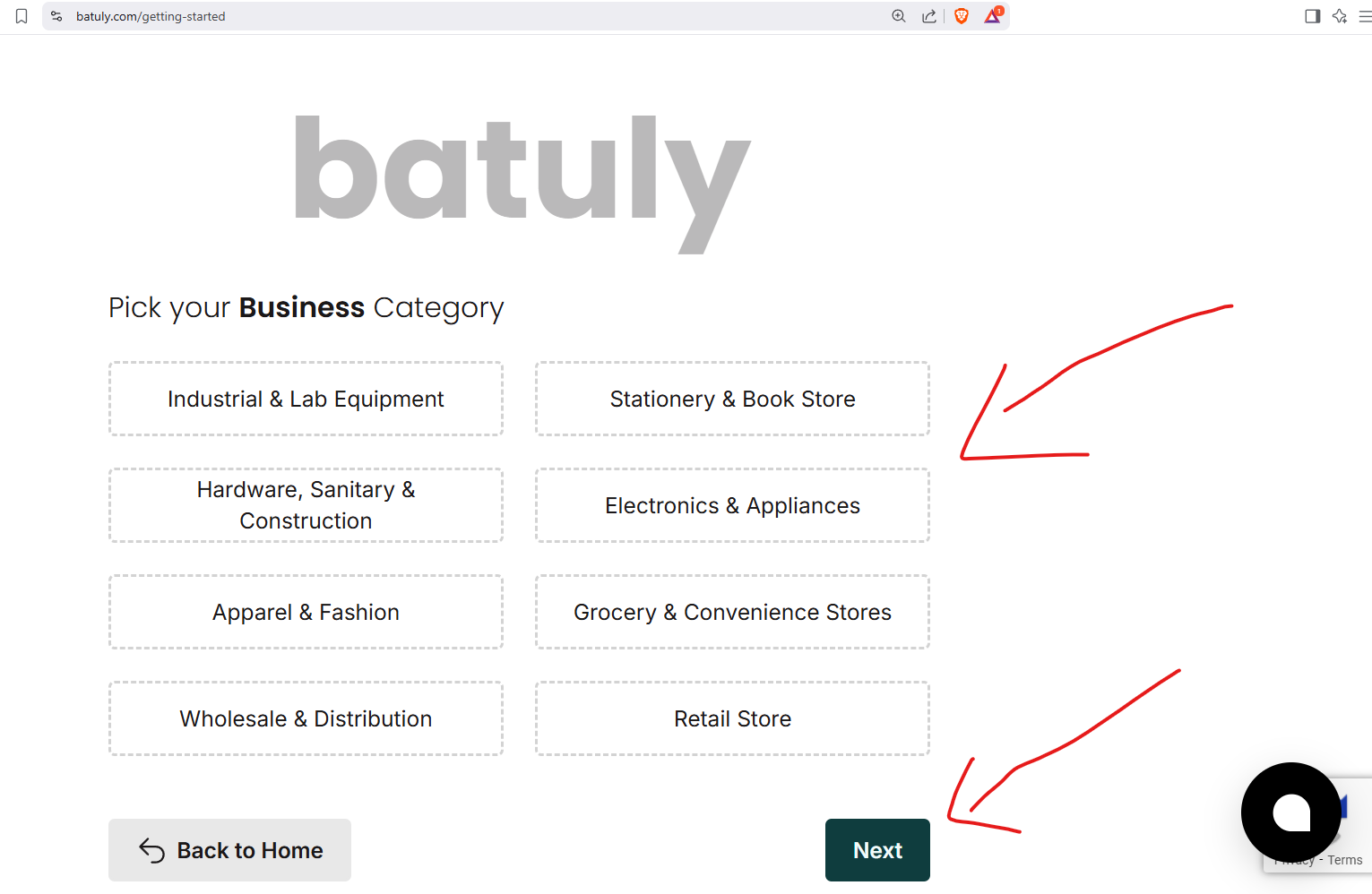
- Enter a few basic details:
- Business Name
- Owner’s Name
- Mobile Number
- Email Address

That’s it - no paperwork, no setup delays, and absolutely no headaches.
batuly is ready to help you run your business, from sales to stock tracking, the moment you hit submit.
What Happens After Sign-Up?
Once your account is created:
You are redirected to the Welcome Screen
- Your personal Batuly login link is shown.
- You can copy and save it for future access.
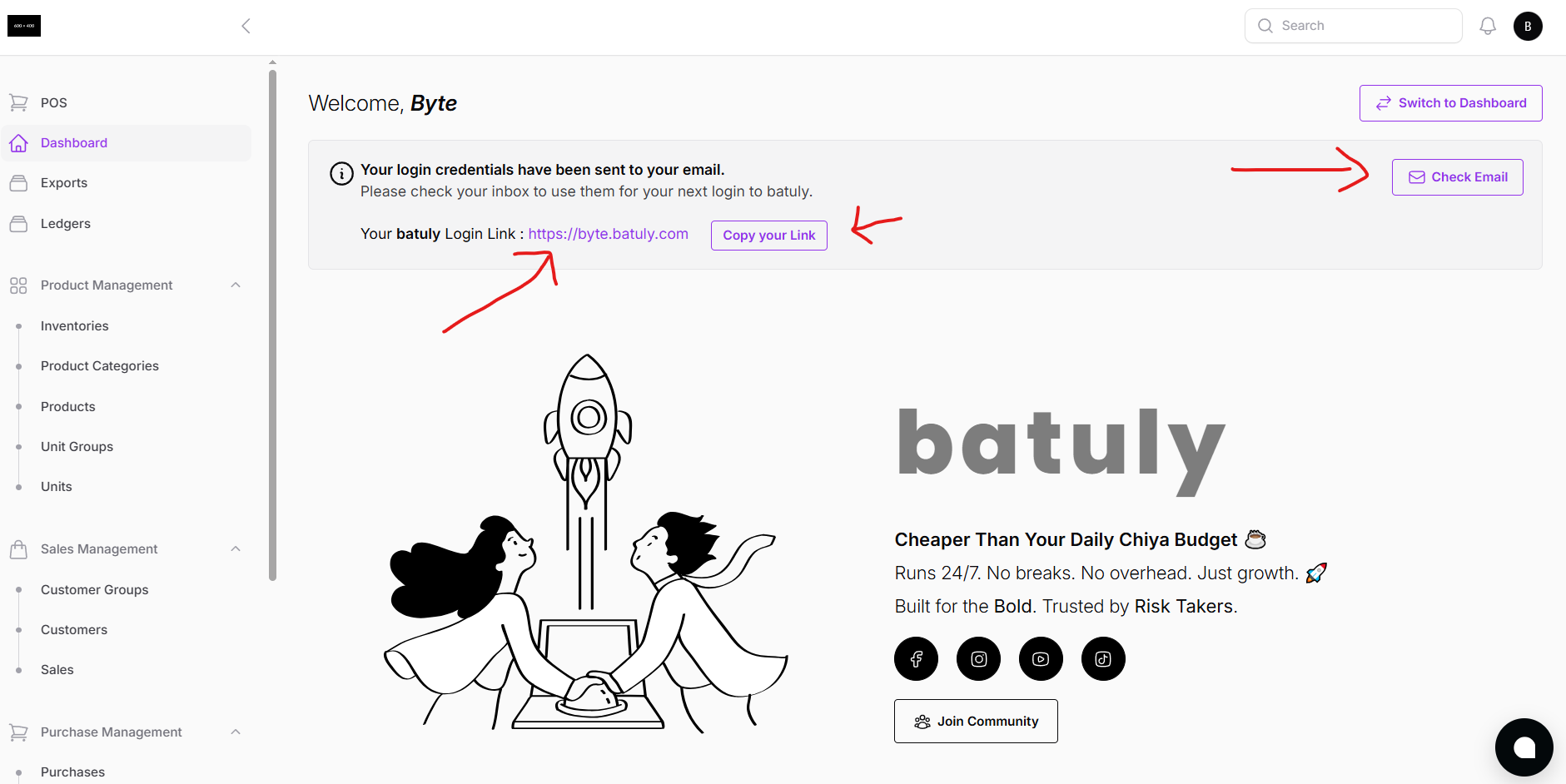
This link is unique to your business - like your digital office!
Your Login Credentials Are Emailed to You
- A confirmation email is sent to the email address you provided.
- The email includes:
- Your login link
- Your Email ID
- Your Password
So even if you forget your link, just go to batuly.com and click "Login" - then retrieve your business link from your email.
Compatible with All Devices
Batuly is fully responsive and works beautifully across all screen sizes:
- Desktop
- Laptop
- Tablet
- Mobile Phone
You don’t need to download or install anything. Just log in and go.
Zero Tech Skills Needed
If you can send a message or use a calculator, you can use Batuly.
Batuly’s interface is clean, intuitive, and friendly - so anyone can confidently manage:
- Sales & returns
- Purchases & suppliers
- Inventory
- Expenses
- Customer and supplier ledgers
- Reports
Start smart. Grow with Batuly.
Let your business work for you, not the other way around.
Need help? Our support team is just a message away - right inside the platform.